
Vibro Shaper Vibration Plate Handleiding
PDF handleiding · 40 Pagina's
Nederlands



Snelle check
Onjuist antwoord, probeer opnieuw.
Chat met je Vibro Shaper Vibration Plate-handleiding via AI
Krijg direct AI-antwoorden uit je Vibro Shaper Vibration Plate-handleiding
Vraag alles over Vibro Shaper Vibration Plate. Antwoorden komen uit deze handleiding, met de pagina's waarop ze zijn gebaseerd.
Vibration Plate Onderhoudsschema
Zorg ervoor dat de netschakelaar UIT staat en de stekker uit het stopcontact is gehaald voordat u reinigt.
Gebruik een schone, droge bezem of borstel om stof van het apparaat te verwijderen.
Reinig het staande oppervlak met een vochtige doek.
Reinig de afstandsbediening met een schone doek.
Als het apparaat niet gedurende een langere periode wordt gebruikt, bewaar het in de doos op een koele, droge plaats en haal de batterijen uit de afstandsbediening.
Stel eenVraag
Beveel je Vibration Plate aan?
Ja NeeVeelgestelde Vragen
Het is ontworpen om thuisworkouts met trillingen te ondersteunen, waarmee gebruikers op een compacte manier kunnen werken aan balans, uithoudingsvermogen en spieractivatie. Het biedt zowel handmatige als vooraf ingestelde opties voor flexibele sessies.
Is dit antwoord nuttig?
Ja. Het pakket bevat weerstandsbanden, een afstandsbediening, gebruikersinstructies, een trainingsplan en een maaltijdplan. Deze extra's maken het makkelijker om te beginnen en een routine te volgen.
Is dit antwoord nuttig?
In de handmatige modus kunt u zelf de trainingstijd en het triltempo kiezen. U kunt de sessie instellen van 1 tot 10 minuten en een temponiveau selecteren dat past bij uw comfort en doelen.
Is dit antwoord nuttig?
De automatische modus voert vooraf ingestelde trainingsprogramma's uit met vaste tijds- en tempopatronen. Dit is handig voor mensen die een begeleide training willen zonder tijdens de sessie instellingen aan te passen.
Is dit antwoord nuttig?
Ja. Hij heeft transportwielen en een handgreep, zodat u hem indien nodig voorzichtig kunt kantelen en rollen. Dit maakt hem praktisch voor thuisgebruik en opslag.
Is dit antwoord nuttig?
Gebruik het apparaat op een vlakke ondergrond, houd minstens 100 cm ruimte rondom het apparaat vrij en overschrijd de belastingslimiet van 100 kg nooit. Gebruikers met medische zorgen moeten voor de training een arts raadplegen.
Is dit antwoord nuttig?
Voordelen en Nadelen
Voordelen

- Dubbele handmatige en automatische modi maken flexibele training mogelijk voor verschillende ervaringsniveaus.
- Meegeleverde weerstandsbanden breiden trainingen uit tot meer dan alleen trillingsbewegingen voor het onderlichaam.
- Afstandsbediening en duidelijke displays maken dagelijks gebruik eenvoudig en handig.
- Compact ontwerp met transportwielen maakt het apparaat gemakkelijker op te bergen en te verplaatsen.
Nadelen

- Het maximale belastbare gewicht is beperkt tot 100 kg, wat mogelijk niet voor elke gebruiker geschikt is.
- Het apparaat vereist zorgvuldige plaatsing en voldoende ruimte om veilig te gebruiken.
- Sommige gezondheidsaandoeningen en zwangerschap vereisen medische goedkeuring vóór gebruik.
- De trainingsintensiteit kan beperkt aanvoelen voor gebruikers die op zoek zijn naar high-impact of gevorderde workouts.
Product Specificatie
Type
Trilplaat
Programma's
3
Max. gebruikersgewicht
120 kg
Afmetingen
62,5x38,5x12 cm
Gewicht
12,00 kg
Product Beschrijving
Vibro Shaper Trilplaat: Compacte training met grote veelzijdigheid
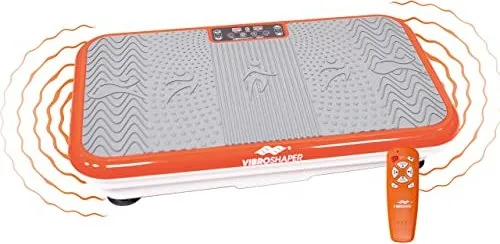
De Vibro Shaper Trilplaat is ontworpen voor mensen die een eenvoudige, ruimtebesparende manier zoeken om beweging toe te voegen aan hun dagelijkse routine. Dit thuisfitnessapparaat combineert trillingstraining met een gebruiksvriendelijk bedieningspaneel, een afstandsbediening en weerstandsbanden, waardoor het eenvoudig is om trainingen aan te passen zonder een grote opstelling nodig te hebben. De Vibro Shaper Trilplaat-handleiding helpt gebruikers begrijpen hoe ze veilig kunnen beginnen, de juiste modus kunnen kiezen en het meeste uit elke sessie kunnen halen.
Waarom het nuttig is
Een van de grootste sterke punten van deze trilplaat is het dubbele bedieningssysteem. In de handmatige modus kunt u zowel tijd als tempo aanpassen aan uw comfortniveau of trainingsdoel. In de automatische modus biedt het apparaat vooraf ingestelde programma's die de training voor u begeleiden. Dit maakt het geschikt voor beginners die structuur willen, maar ook voor meer ervaren gebruikers die controle prefereren.
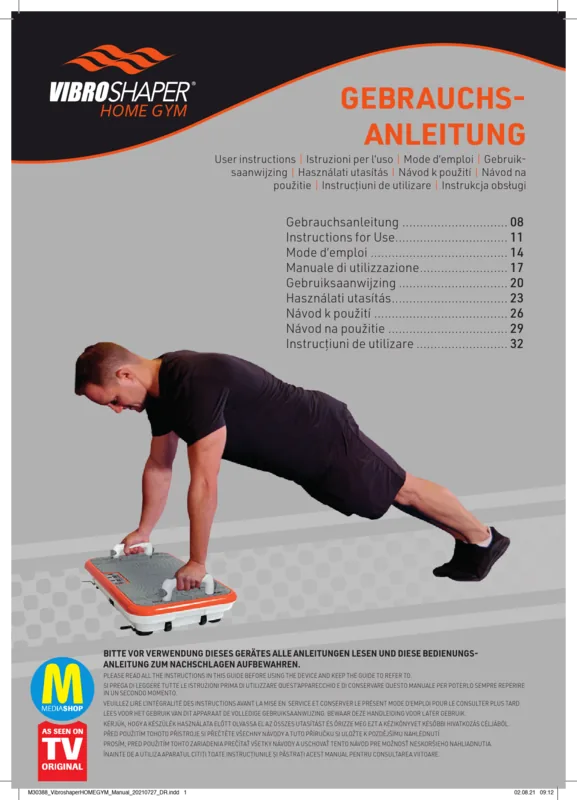
De meegeleverde weerstandsbanden voegen een extra trainingslaag toe. Ze kunnen aan de achterkant van het platform worden bevestigd en tijdens trainingen worden gebruikt om de armen, schouders en bovenlichaam te activeren terwijl het onderlichaam op het trillende oppervlak blijft werken. Het resultaat is een completere routine op een klein oppervlak. De afstandsbediening biedt ook extra gemak, zodat u instellingen kunt wijzigen zonder uw ritme te onderbreken.
Ondersteuning voor dagelijkse fitness
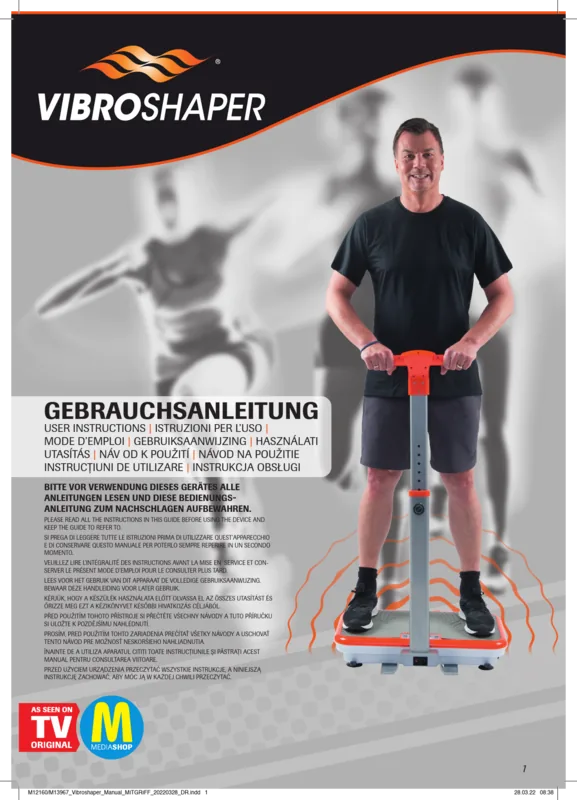
De Vibro Shaper is gebouwd voor wandel-, jog- en hardloopposities, wat betekent dat gebruikers de voetplaatsing kunnen variëren om de trainingsintensiteit te veranderen. Daardoor voelt het platform veelzijdiger aan dan een standaard statisch fitnessapparaat. Het is ook eenvoudig te verplaatsen dankzij transportwielen en een zijhandgreep, waardoor opbergen na gebruik moeiteloos is.
Dit product is duidelijk gericht op praktisch thuisgebruik. Het ondersteunt korte sessies, eenvoudige bediening en gemakkelijk schoonmaken. De trainingsrichtlijnen die bij het product zijn inbegrepen, stimuleren geleidelijke vooruitgang, stretchen voor het sporten en zorgvuldige aandacht voor houding. Dat maakt het een goede keuze voor mensen die een vaste routine willen in plaats van een ingewikkeld fitnesssysteem.
Opmerkingen
- Maximaal belastbaar gewicht: 100 kg
- Alleen gebruiken op een vlakke, stabiele ondergrond
- Houd minstens 100 cm vrije ruimte rondom het apparaat
- Niet geschikt voor iedereen; medische aandoeningen moeten eerst met een arts worden gecontroleerd
- De beste resultaten komen van consistent gebruik en veilige trainingsgewoonten
Zoek naar 67.732 Handleidingen online


Typ merk of model in