
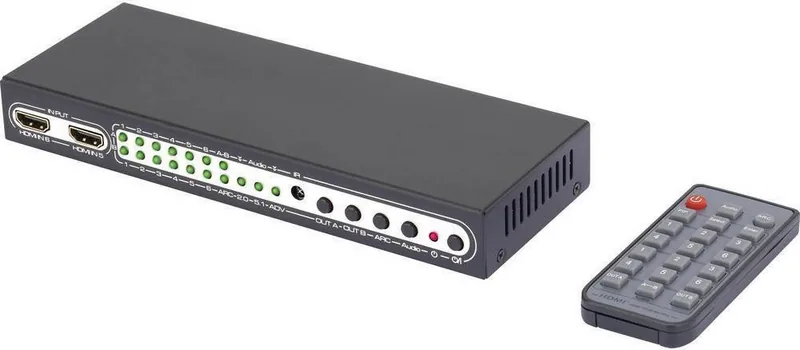
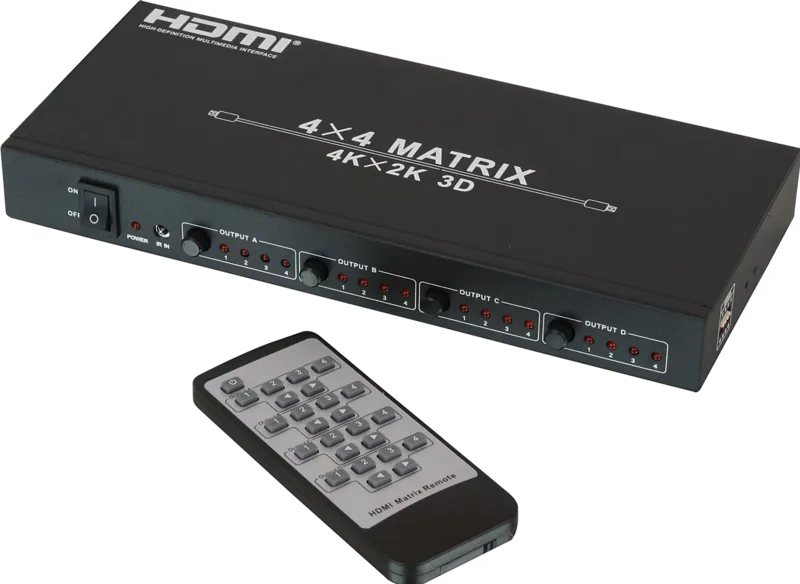
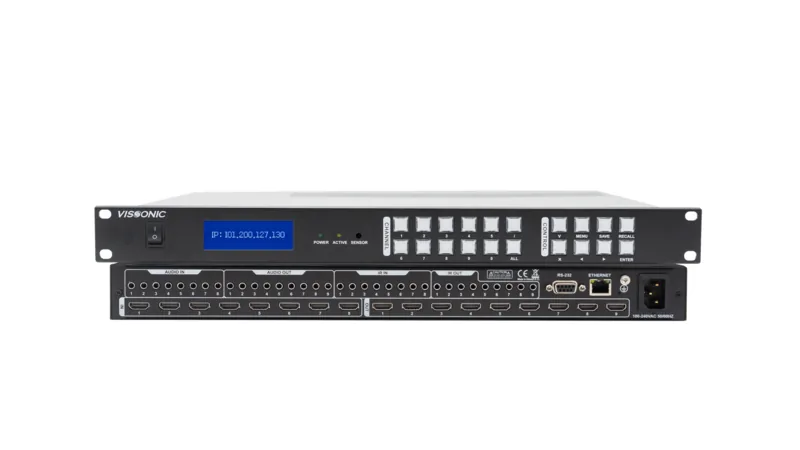
SpeaKa Professional 6-Port HDMI Matrix Switch Handleiding
PDF handleiding · 12 Pagina's
Nederlands



Snelle check
Onjuist antwoord, probeer opnieuw.
Chat met je SpeaKa Professional 6-Port HDMI Matrix Switch-handleiding via AI
Krijg direct AI-antwoorden uit je SpeaKa Professional 6-Port HDMI Matrix Switch-handleiding
Vraag alles over SpeaKa Professional 6-Port HDMI Matrix Switch. Antwoorden komen uit deze handleiding, met de pagina's waarop ze zijn gebaseerd.
6-Port HDMI Matrix Switch Onderhoudsschema
Vervang de uitgeputte CR2025 knoopcel door een nieuwe wanneer het signaal zwak of onregelmatig wordt.
Koppel het product altijd van het netspanning los voor reiniging om veiligheid te waarborgen.
Gebruik alleen een droge, vezelvrije doek voor reiniging; gebruik geen agressieve middelen of alcohol.
Gratis onderhoudsherinneringen
Afgestemd op uw aankoopdatum. Altijd gratis, op elk moment afmelden.
Stel eenVraag
Beveel je 6-Port HDMI Matrix Switch aan?
Ja NeeVeelgestelde Vragen
Het apparaat ondersteunt tot 4K (3840 x 2160) bij compatibele framerates, 3D en oudere HD-formaten (1080p/1080i/720p enz.). Het verwerkt HDMI-overdrachtsnelheden tot 9,0 Gbit/s en een maximale bandbreedte van 300 MHz.
Is dit antwoord nuttig?
Sluit een optische Toslink-kabel aan van de SPDIF-poort van de matrix naar uw versterker en schakel ARC in op de matrix (en de tv/bron indien vereist). Voor stereoweergave gebruikt u de 3,5 mm audio-uitgang die LPCM 2.0 audio levert.
Is dit antwoord nuttig?
Ja. Selecteer dezelfde HDMI-ingang voor zowel Uitgang A als Uitgang B via de afstandsbediening of het voorpaneel om het beeld op twee schermen te spiegelen.
Is dit antwoord nuttig?
PIP (Picture-in-Picture) toont tot vijf secundaire beelden naast het hoofdbeeld voor snelle preview; u kunt miniaturen selecteren en naar hoofdweergave promoten. PIP werkt alleen met HDMI-ingangen tot 1080p (niet ondersteund voor 4K-ingangen).
Is dit antwoord nuttig?
Zorg ervoor dat automatische EDID-detectie is ingeschakeld op uw bron en beeldscherm. Start de betreffende apparaten opnieuw op om de EDID-handshake te herstellen, controleer HDMI-kabellengtes en -kwaliteit en bevestig dat de matrix en adapters correct zijn gevoed.
Is dit antwoord nuttig?
Druk op de Audio-knop om te schakelen tussen Audio 2.0, Audio 5.1 en Audio ADV. Audio ADV geeft de formatkeuze over aan de receiver en kan meerkanaalsformaten zoals 7.1 inschakelen wanneer ondersteund door het downstream-apparaat.
Is dit antwoord nuttig?
Koppel altijd de voeding los voordat u reinigt. Gebruik een droge, pluisvrije doek en gebruik nooit agressieve chemische of alcoholhoudende reinigers. Bescherm rubberen voeten tegen afdrukken op gevoelige oppervlakken en vermijd blootstelling aan vocht of extreme omstandigheden.
Is dit antwoord nuttig?
Voordelen en Nadelen
Voordelen

- Ondersteunt tot 6 HDMI-ingangen en 2 onafhankelijke HDMI-uitgangen met ARC en optische Toslink-audio.
- 4K (3840x2160), 3D en meerdere audioformaten (DTS-HD, Dolby TrueHD, LPCM) ondersteund.
- Picture-in-picture (PIP) toont tot 5 miniaturen en biedt snelle bronpreview en selectie.
- Compact formaat met knoppen op het voorpaneel, IR-afstandsbediening (max. 5 m bereik) en duidelijke LED-indicatoren.
- Flexibele audio-uitgangen: optische Toslink SPDIF en 3,5 mm analoge aansluiting voor hoofdtelefoons/actieve luidsprekers.
Nadelen

- PIP-functie beperkt tot HDMI-ingangresoluties tot 1080p, niet beschikbaar voor 4K-bronnen.
- EDID-afhankelijk gedrag kan vereisen dat apparaten worden herstart of handmatig worden aangepast voor sommige bron/beeldschermcombinaties.
- Audio-uitgangsaansluiting ondersteunt alleen LPCM 2.0; geavanceerde meerkanaalsweergave vereist optisch/Toslink en een compatibele receiver.
- Afstandsbediening gebruikt CR2025-knopcel met beperkte levensduur; IR-bereik kan worden geblokkeerd door meubels.
- Alleen voor binnenshuis gebruik en gevoelig voor condensatie bij verplaatsing van koude naar warme omgevingen zonder acclimatisatie.
Product Specificatie
Video-ingangen
6x HDMI ingang
Video-uitgangen
2x HDMI uitgang
Overige aansluitingen
1x Digitale audio-uitgang (optisch), 1x Jack audio-uitgang
Resoluties tot
3840x2160
Stroomverbruik
3,5 W typisch
Afmetingen
205x26x74 mm (BxHxD)
Gewicht
440 g
Product Beschrijving
SpeaKa Professional 6 Port HDMI-Matrix-Switch Handleiding
De SpeaKa Professional 6-poorts HDMI-matrixschakelaar is een compacte, functioneel uitgeruste oplossing voor het beheren van meerdere HDMI-bronnen en twee beeldschermuitgangen in thuisbioscopen, kleine studio's, klaslokalen of vergaderruimtes. Ontworpen voor binnenshuis gebruik, accepteert deze 6x2 matrixrouter tot zes HDMI-ingangen en leidt deze naar twee onafhankelijke HDMI-uitgangen, met ondersteuning voor geavanceerde mogelijkheden zoals 4K (UHD), 3D, ARC (Audio Return Channel) en picture-in-picture (PIP). Het apparaat wordt gevoed door de meegeleverde 5V DC-adapter en wordt geleverd met een IR-afstandsbediening met een CR2025-batterij voor comfortabel gebruik.
Deze matrix legt de nadruk op praktische connectiviteit: twee volledige HDMI-uitgangen plus een optische Toslink SPDIF en een 3,5 mm audio-aansluiting bieden flexibele audioverdeling naar tv's, projectoren, AV-receivers, hoofdtelefoons of actieve luidsprekers. Het apparaat ondersteunt meerdere HDMI-audioformaten waaronder DTS-HD, Dolby TrueHD, LPCM en meer, en verwerkt resoluties tot 3840 x 2160 (4K). Overdrachtsnelheden bereiken tot 9,0 Gbit/s met een maximale bandbreedte van 300 MHz, terwijl aanbevelingen voor kabellengte betrouwbare signalen waarborgen (tot 10 m voor 1080p-ingangen, 5 m voor 4K-ingangen).
De bediening gebeurt voornamelijk via de IR-afstandsbediening: selecteer ingangen voor uitgang A en B onafhankelijk, schakel ARC in voor optische audio-retour naar een gekoppelde versterker, wissel audiomodi (2.0 / 5.1 / ADV waarbij de receiver formaten laat bepalen, inclusief 7.1) en activeer PIP om tot vijf miniaturen naast het hoofdbeeld weer te geven (PIP ondersteunt HDMI-ingangen tot 1080p). Knoppen op het voorpaneel bieden directe schakelmogelijkheden en LED-indicatoren geven status voor ingangen, audiomodus, ARC en uitgangsselectie.
Installatieadvies benadrukt veilige opstelling: voed het apparaat alleen met de meegeleverde adapter, zorg dat het stopcontact goed bereikbaar is, vermijd vocht en condensatie en leid kabels zo dat beschadiging of struikelgevaar wordt voorkomen. EDID-compatibiliteit wordt aanbevolen—zet bronnen en beeldschermen op automatische EDID-detectie en start apparaten opnieuw op indien nodig. Routineonderhoud is minimaal: koppel de voeding los voordat u reinigt en gebruik een droge, pluisvrije doek—vermijd chemische reinigers.
Compact en robuust, is de SpeaKa-matrix gebouwd om te integreren in AV-opstellingen die beheer van meerdere bronnen met flexibele audioverdeling vereisen. De combinatie van moderne video-/audio-ondersteuning, PIP-functie en ARC/Toslink-opties maakt het geschikt voor gebruikers die eenvoudige schakeling zonder complexe configuratie nodig hebben.
Opmerkingen
- Alleen bedoeld voor binnenshuis gebruik; vermijd contact met vocht.
- Volg automatische EDID-detectie en start apparaten opnieuw op als er handshake-problemen optreden.
- Verwijder de batterij van de afstandsbediening bij langdurige opslag; vervang door een CR2025 wanneer deze zwak is.
- Verwijder elektronisch afval en batterijen volgens lokale regelgeving.
Zoek naar 67.706 Handleidingen online


Typ merk of model in
Sam Jorissen
9 maanden geleden
Het product lijkt goed voor de prijs, maar de beschrijving voelt een beetje onduidelijk aan. Hoe wordt de PIP (Picture-in-Picture) functie uitgelegd en gebruikt?
Manual.ly
9 maanden geleden
Bedankt voor de feedback. Hoewel de snelle productbeschrijving verbeterd kan worden, wordt de PIP-functie ondersteund door het apparaat. Voor betrouwbaar gebruik verwijzen we u graag naar de meegeleverde gebruikershandleiding (hoofdstuk PIP) of de helpfunctie in het schermmenu waar PIP geconfigureerd wordt. Kortom, u schakelt PIP in via de instellingen/het menu, selecteert de hoofd- en secundaire bron, en past vervolgens de positie en grootte aan, indien uw model dit ondersteunt. Als u ons uw exacte modelnummer vertelt (van het etiket op het apparaat of de verpakking), kan de ondersteuning u naar de juiste sectie van de handleiding en het exacte menupad verwijzen.