
Samsung Galaxy Z Fold 5 Handleiding
PDF handleiding · 189 Pagina's
Nederlands


Snelle check
Onjuist antwoord, probeer opnieuw.
Chat met je Samsung Galaxy Z Fold 5-handleiding via AI
Krijg direct AI-antwoorden uit je Samsung Galaxy Z Fold 5-handleiding
Vraag alles over Samsung Galaxy Z Fold 5. Antwoorden komen uit deze handleiding, met de pagina's waarop ze zijn gebaseerd.
Stel eenVraag
Beveel je Galaxy Z Fold 5 aan?
Ja NeeVideo Handleiding
Samsung Galaxy Z Fold 5 TIPS, TRICKS & HIDDEN FEATURES!
Veelgestelde Vragen
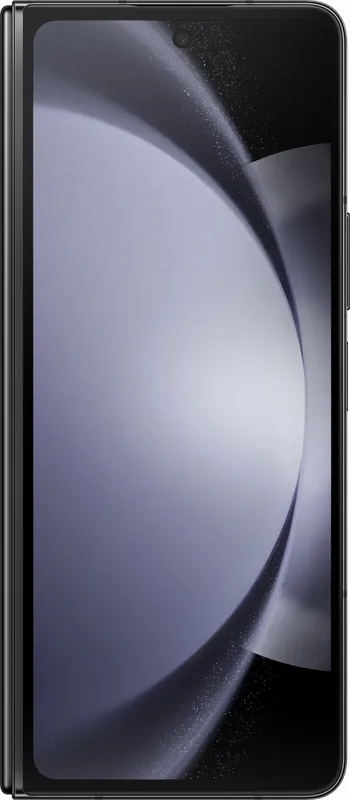
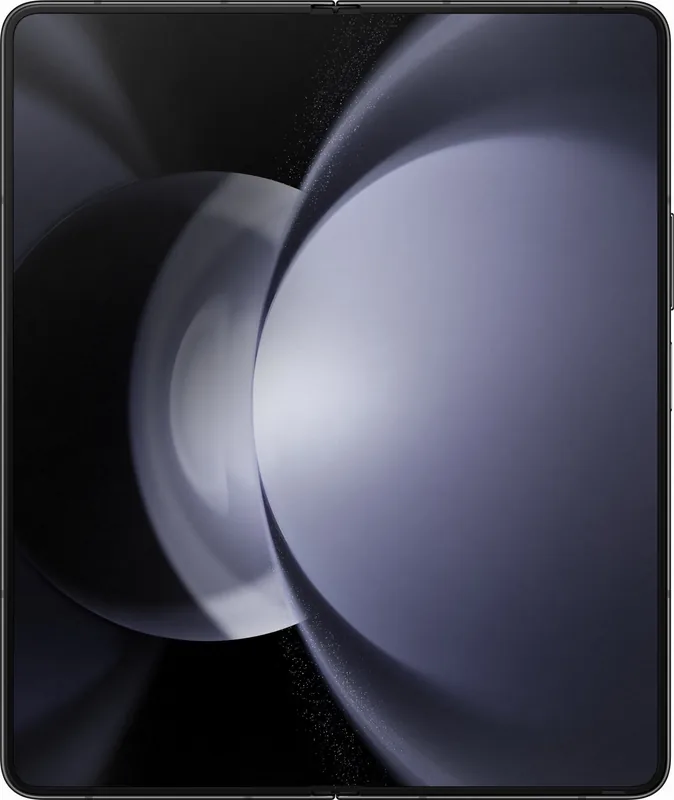
The Fold 5 features a large foldable main OLED display for tablet-like use and a separate front cover display for quick tasks. The hinge enables Flex Mode and app continuity between screens. A visible crease along the fold is a normal characteristic of the panel.
Is dit antwoord nuttig?
You can charge via USB-C wired fast charging, Qi-compatible wireless charging pads, or use Wireless PowerShare to charge other devices. For best results remove thick cases and ensure proper alignment on inductive chargers. Use Samsung-approved chargers and cables when possible.
Is dit antwoord nuttig?
Yes. The Fold 5 supports S Pen models designed for foldable devices (sold separately). Do not use unapproved pens or styluses as they can scratch or damage the foldable screen. Use gentle pressure when writing or drawing.
Is dit antwoord nuttig?
One UI includes Multi Window, a taskbar, and side panels for quick app switching. You can run multiple apps simultaneously, drag apps from the taskbar into split view, and use Flex Mode to adapt app layout when the phone is partially folded.
Is dit antwoord nuttig?
While Samsung designs devices with durability in mind, the Fold 5 is sensitive to small particles like sand and debris entering the hinge or display area. Follow manufacturer guidance to avoid exposing the device to dust and sharp particles that can cause damage.
Is dit antwoord nuttig?
Use Samsung Smart Switch to transfer data via USB cable, Wi‑Fi Direct, or a PC. Smart Switch guides you through selecting contacts, messages, media, and settings. Ensure both devices have sufficient battery during transfer to avoid interruption.
Is dit antwoord nuttig?
Creators can use Pro/Pro-Video for manual control, 8K recording for high-resolution video, Director View to capture multiple angles, Super Slow‑Mo and Night mode for special effects, and audio-zoom or external mics for better sound capture.
Is dit antwoord nuttig?
Voordelen en Nadelen
Voordelen

- Large, flexible internal display for tablet-like productivity and immersive media.
- Powerful performance with multitasking features like Multi Window and taskbar.
- Versatile camera system supporting 8K video, Pro modes, Director View, and Dual Preview.
- Biometric security, Secure Folder, and Samsung Pass for robust privacy and authentication.
- Wireless PowerShare, fast wired and wireless charging, and comprehensive battery-saving options.
Nadelen

- Foldable screen requires careful handling; crease is a normal characteristic.
- Some accessories and protective films may damage the main foldable display if not approved.
- Device is sensitive to dust and small particles; keeping it clean is important to avoid damage.
- S Pen optimized for Foldibles is sold separately and other styluses can harm the screen.
- Inductive charging and Wireless PowerShare may be less effective with certain cases or accessories.
Product Specificatie
Besturingssysteem
Android 14.0 (via update), Android 13.0 (af fabriek)
Scherm
7,6", 2176x1812 pixel, 16 miljoen kleuren, AMOLED, capacitief touchscreen, HDR (HDR10+), 1-120Hz verversingssnelheid, vouwbaar (intern), 1750 Nits, 373ppi (Scherm 1); 6,2", 2316x904 pixel, 16 miljoen kleuren, AMOLED, capacitief touchscreen, Gorilla Glass Victus 2, cameragat, HDR (HDR10+), 48-120Hz verversingssnelheid, 1750 Nits, 401ppi (Scherm 2)
Achtercamera
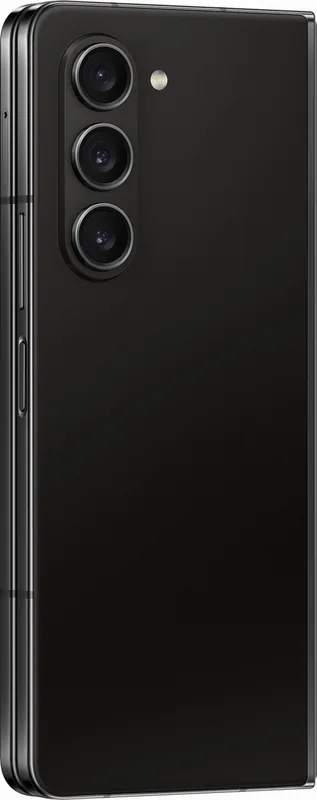
50,0MP, f/1,8, Phase Detection AF (All-Pixel AF), OIS, LED flits, Video's @4320p/30fps, Video's @1080p/960fps (Camera 1); 10,0MP, f/2,4, Phase Detection AF, OIS, Telelens (Camera 2); 12,0MP, f/2,2, Groothoeklens (Camera 3)
Voorcamera
4,0MP, f/1,8, onder scherm (Camera 1); 10,0MP, f/2,2 (Camera 2)
Connectiviteit
USB-C 3,2 (5Gb/s, OTG, DisplayPort), Wi-Fi 6E (WLAN 802.11a/b/g/n/ac/ax), Bluetooth 5,3 (aptX), NFC, UWB
Sensoren
Versnellingsmeter, Gyroscoop, Nabijheidssensor, Omgevingslichtsensor, Kompas, Barometer, Vingerafdruksensor (zijkant)
SoC
Qualcomm SM8550-AC Snapdragon 8 Gen 2 for Galaxy, 64bit
CPU
1x 3,36GHz Kryo Prime + 4x 2,80GHz Kryo Gold + 3x 2,00GHz Kryo Silver
GPU
Adreno 740
RAM
12GB
Navigatie
A-GPS, GLONASS, BeiDou, Galileo, QZSS
Modem
GSM (0,2Mbps/0,1Mbps), UMTS (42Mbps/5,76Mbps), LTE, 5G
Frequentiebanden
2G (850/900/1800/1900), 3G (B1/B2/B4/B5/B8), 4G (B1/B2/B3/B4/B5/B7/B8/B12/B13/B17/B18/B19/B20/B25/B26/B28/B32/B38/B39/B40/B41/B66), 5G (n1/n2/n3/n5/n7/n8/n12/n20/n25/n28/n38/n40/n41/n66/n75/n77/n78)
Batterij
4400mAh, niet-verwijderbaar, draadloos opladen, omgekeerd draadloos opladen
Oplaadvermogen
25W (USB), 15W (Qi), 4,5W (omgekeerd draadloos opladen)
Gesprekstijd
40u (LTE)
SAR-waarde
1,24W/kg Hoofd, 1,19W/kg Lichaam
Vormfactor
Vouwbaar
Materiaal behuizing
Glas (achterkant), Metaal (frame)
SIM-vormfactor
Nano-SIM, eSIM
Speciale functies
Dual-SIM, IPX8 gecertificeerd, Stereoluidsprekers (hybride)
Afmetingen
154,9x129,9x6,1mm (open), 154,9x67,1x13,4mm (gesloten)
Gewicht
253g
Scherm-tot-behuizingverhouding
91,1%
Product Beschrijving
Samsung Galaxy Z Fold 5 — Opvouwbare krachtpatser
De Samsung Galaxy Z Fold 5 verfijnt het ontwerp van opvouwbare telefoons met een groter, veelzijdiger hoofdscherm, een responsief dekscherm en prestaties van topklasse. Hij combineert een zakformaat met een tabletachtig canvas voor productiviteit en media. Verwacht een eersteklas behuizing van glas en metaal, verbeterde scharnierduurzaamheid en beschermingen afgestemd op dagelijks gebruik, terwijl toch voorzichtig omgaan met de vouw noodzakelijk blijft.
Uitgevouwen wordt het hoofdscherm een ruim multitasking-werkgebied, ideaal voor schermverdeling van apps, creatieve invoer met S Pen-compatibiliteit (apart verkocht) en meeslepende video. Het dekscherm biedt snelle toegang voor éénhandige taken, meldingen en gesprekken onderweg zonder het apparaat te openen. Het camerasysteem dekt groothoek, ultrabreed en telefoto met geavanceerde softwarefuncties zoals Single Take, Director's View, Nachtmodus en Super Steady-videostabilisatie.
Softwarefuncties benadrukken productiviteit en gemak: Multi Window en een configureerbare taakbalk ondersteunen het gelijktijdig uitvoeren van meerdere apps; Flex Mode verandert UI-indelingen wanneer gedeeltelijk gevouwen; Smart Switch vereenvoudigt gegevensoverdracht; en Samsung-diensten zoals Samsung Wallet, Pay, Health en Notes integreren met de opvouwbare ervaring. Bixby en Bixby Vision voegen spraak- en visuele AI-hulp toe voor vertalingen, teksterkenning en scenegevoelige verbeteringen.
Batterij- en laadopties zijn flexibel: bekabeld snel opladen, draadloos opladen en Wireless PowerShare om compatibele accessoires bij te vullen. Energiemanagementhulpmiddelen, energiebesparingsmodi en batterijzorginstellingen helpen de gebruiksduur te verlengen indien nodig. Connectiviteit omvat 5G, Wi‑Fi, Bluetooth, NFC voor betalingen en digitale sleutels, en functies voor het beheren van dual SIM/eSIM-configuraties.
Duurzaamheidsopmerkingen: het apparaat gebruikt een gespecialiseerde beschermfilm op het opvouwbare hoofdscherm en bevat magneten en ventilaties—gebruikers moeten vermijden vreemde voorwerpen in het scharnier te plaatsen, het apparaat uit de buurt van magnetisch gevoelige voorwerpen te houden en de richtlijnen over vocht- en stofblootstelling te volgen om prestaties en waterbestendigheid te behouden.
Kort gezegd is de Samsung Galaxy Z Fold 5 een premium, productiviteitsgerichte opvouwbare ideaal voor multitaskers en mediagebruikers die een zakbaar apparaat willen dat zich ontvouwt tot een bijna-tabletervaring, met geavanceerde camera's en rijke softwarefuncties die zijn ontworpen om het flexibele scherm te benutten.
Opmerkingen
- S Pen apart verkocht; gebruik alleen S Pens die ontworpen zijn voor Galaxy Fold-schermen.
- Bescherm het opvouwbare scherm: vermijd scherpe voorwerpen, overmatige druk bij het scharnier en niet-goedgekeurde folies.
- Sommige functies variëren per provider, regio of model (bijv. eSIM, Samsung Pay, UWB).
- Verwijder hoezen of accessoires die draadloos laden of ventilaties belemmeren voor stabiel laden.
Zoek naar 67.732 Handleidingen online


Typ merk of model in