Manual.ly Logo

Rapoo V500PRO Handleiding

0,0 · 0 Beoordelingen

PDF handleiding · 2 Pagina's

Nederlands

M: QW-35-FL
pagina

/ 2

Loading...
db203f740bf000852059a0a8a6e3c8b5efc8 page 2
Package contents / Contenu de l’emballage / Packungsinhalt / Contenuto della confezione / Contenidos del Embalaje /
Inhoud van de verpakking / Conteúdos da embalagem / Комплект поставки / Вміст пакунку
Fn+F1 = Режим брижів
Fn+F2 = Статичний режим
Fn+F3 = Реактивний режим
Fn+F4 = Режим пульсації
Fn+F5 = Режим зоряного світла
Fn+F6 = Режим Рулетка
Fn+F7 = Режим кривої
Fn+F8 = Режим північного сяйва
Fn+F9 = Режим Феєрверк
Fn+F10 = Режим Дощові краплі
Fn+F11 = Ігровий режим FPS
Fn+F12 = Ігровий режим MOBA
Fn+Win = WinLock
Fn+→ = Частота+
Fn+← = Частота-
Fn+↑ = Яскравість+
Fn+↓ = Яскравість-
Fn = Підсвічення Fn і клавіші комбінацій
I always press the Windows key while gaming.
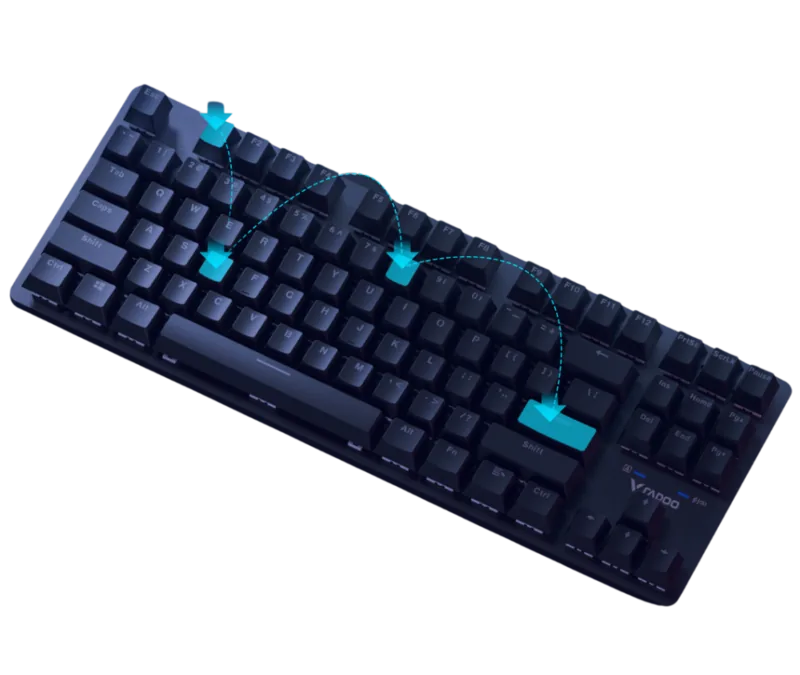
Press Fn and Windows key simultaneously to lock the Windows key and prevent accidental activations.
J'appuie toujours sur la touche Windows quand je joue.
Appuyez simultanément sur la touche FN et Windows pour verrouiller la touche Windows et empêcher les activations accidentelles.
Ich komme beim Spielen ständig auf die Windows-Taste.
Drücken Sie zum Sperren der Windows-Taste gleichzeitig Fn- und Windows-Taste.
Premo sempre il tasto Windows durante il gioco.
Premere contemporaneamente i tasti FN e Windows per bloccare il tasto Windows ed evitare attivazioni accidentali.
Siempre presiono la tecla Windows durante el juego.
Presione las teclas FN y Windows simultáneamente para bloquear la tecla Windows y evitar activaciones accidentales.
Ik druk altijd op de Windows-toets tijdens het spelen van spelletjes.
Druk de FN- en Windows-toets samen in om de Windows-toets te vergrendelen en per ongeluk activeren te voorkomen.
Pressiono sempre a tecla Windows enquanto estou a jogar.
Pressione as teclas FN e Windows em simultâneo para bloquear a tecla Windows e impedir ativações acidentais.
Во время игры я всегда нажимаю на клавишу Windows.
Нажмите FN и клавишу Windows одновременно для блокировки клавиши Windows и защиты от случайных срабатываний.
Я завжди натискаю клавішу Windows під час гри.
Натисніть клавіші FN і Windows одночасно, щоб заблокувати клавішу Windows і запобігти випадковому задіянню клавіші.
System Requirements / Exigences du système / Systemvoraussetzungen / Requisiti di sistema /
Requerimientos del sistema / Systeemvereisten / Requisitos do Sistema /
Системные требования / Системні вимоги
Windows
®
XP / Vista / 7 / 8 / 10 or later, USB port
Windows
®
XP / Vista / 7 / 8 / 10 ou version ultérieure, Port USB
Windows
®
XP / Vista / 7 / 8 / 10 oder höher, USB-Anschluss
Windows
®
XP / Vista / 7 / 8 / 10 o versioni successive, Porta USB
Windows
®
XP / Vista / 7 / 8 / 10 o posterior, Puerto USB
Windows
®
XP / Vista / 7 / 8 / 10 of later, USB-poort
Windows
®
XP / Vista / 7 / 8 / 10 ou mais recente, porta USB
Windows
®
XP / Vista / 7 / 8 / 10 или более поздней версии, USB порт
Windows
®
XP / Vista / 7 / 8 / 10 або вище, порт USB
5602-06K13-222
www.rapoo.com
V500PRO
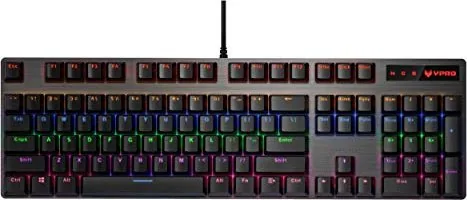
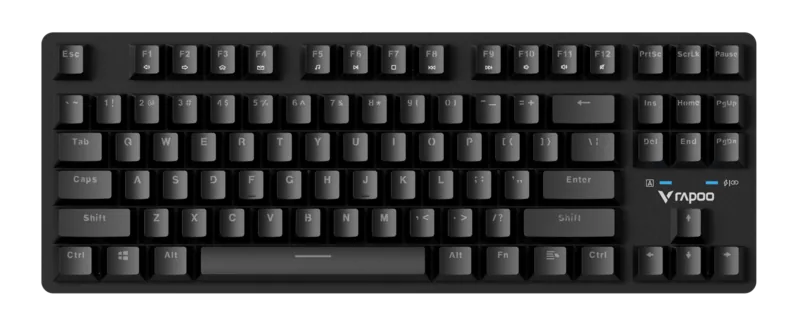
Backlit Mechanical Gaming Keyboard
Trouble shooting / Dépannage /Problemlösung / Risoluzione dei problemi / Solucionar problemas
Problemen oplossen / Resolução de problemas / Устранение неполадок / Усунення несправностей
It is forbidden to reproduce any part of this quick start guide without the permission of Shenzhen Rapoo Technology Co., Ltd.
FCC Statement
This equipment has been tested and found to comply with the limits for a Class B digital device, pursuant to part 15 of the FCC rules. These limits are designed to provide reasonable
protection against harmful interference in a residential installation. This equipment generates, uses and can radiate radio frequency energy and, if not installed and used in
accordance with the instructions, may cause harmful interference to radio communications. However, there is no guarantee that interference will not occur in a particular
installation. If this equipment does cause harmful interference
to radio or television reception, which can be determined by turning the equipment off and on, the user is encouraged to try to correct the interference by one or more of the
following measures:
-Reorient or relocate the receiving antenna.
-Increase the separation between the equipment and receiver.
-Connect the equipment into an outlet on a circuit different from that to which the receiver is connected.
-Consult the dealer or an experienced radio/TV technician for help.
To assure continued compliance, any changes or modifications not expressly approved by the party responsible for compliance could void the user’s authority to operate this
equipment. (Example- use only shielded
interface cables when connecting to computer or peripheral devices).
FCC Radiation Exposure Statement
This equipment complies with FCC RF radiation exposure limits set forth for an uncontrolled environment. This transmitter must not be co-located or operating in conjunction
with any other antenna or transmitter.
This equipment complies with Part 15 of the FCC Rules.Operation is subject to the following two conditions:
(1) This device may not cause harmful interference, and
(2) This device must accept any interference received, including interference that may cause undesired operation.
Caution!
The manufacturer is not responsible for any radio or TV interference caused by unauthorized modifications to this equipment. Such modifications could void the user authority
to operate the equipment.
ISEDC RSS warning
This device complies with Industry Canada licence-exempt RSS standard (s). Operation is subject to the following two conditions:
(1) this device may not cause interference, and
(2) this device must accept any interference,including interference that may cause undesired operation of the device.
Le présent appareil est conforme aux CNR d'Industrie Canada applicables aux appareils radio exempts de licence.
L'exploitation est autorisée aux deux conditions suivantes:
(1) l'appareil ne doit pas produire de brouillage, et
(2) l'utilisateur de l'appareil doit accepter tout brouillage radioélectrique subi, même si le brouillage est susceptible d'en compromettre le fonctionnement.
ISEDC Radiation Exposure Statement:
This equipment complies with ISEDC RF radiation exposure limits set forth for an uncontrolled environment. This transmitter must not be co-located or operating in
conjunction with any other antenna or transmitter.
Cet appareil est conforme aux limitesd'exposition de rayonnement RF ISEDC établiespour un environnement non contrôlé.
Cetémetteur ne doit pas être co-implanté oufonctionner en conjonction avec toute autreantenne ou transmetteur.
Any Changes or modifications not expressly approved by the party responsible for compliance could void the user’s authority to operate the equipment.

Chat met je Rapoo V500PRO-handleiding via AI

Krijg direct AI-antwoorden uit je Rapoo V500PRO-handleiding

Vraag alles over Rapoo V500PRO. Antwoorden komen uit deze handleiding, met de pagina's waarop ze zijn gebaseerd.

Stel eenVraag

0/1000

Beveel je V500PRO aan?

Ja Nee

Veelgestelde Vragen

A

Druk op de Fn-toets en de Windows-toets tegelijkertijd om de Windows-toets te vergrendelen. Druk ze opnieuw om te ontgrendelen.

Is dit antwoord nuttig?

A

Er zijn twaalf modi inclusief Ripple, Statisch, Reactief, Ademend, Starlight, Roulette, Curve, Aurora, Firework, Raindrop, FPS gaming en MOBA gaming.

Is dit antwoord nuttig?

A

Dit toetsenbord is voornamelijk ontworpen voor Windows XP en nieuwere versies. Hoewel het fysiek kan werken op Mac, wordt volledige toetsmappingsondersteuning niet gegarandeerd.

Is dit antwoord nuttig?

A

Ja, gebruik de Fn-toets in combinatie met de pijl-omhoog-toets om de helderheid te verhogen en de pijl-omlaag-toets om deze te verlagen.

Is dit antwoord nuttig?

A

Het gebruikt BLUE-mechanische schakelaars die een tactiele bump en een hoorbare klikgeluid bieden voor elke toetsaanslag.

Is dit antwoord nuttig?

M: QW-35-FL

Voordelen en Nadelen

Voordelen

  • Twaalf diverse lichtmodi maken diepe personalisatie van de toetsenborduitstraling mogelijk
  • BLUE-schakelaars bieden uitstekende tactiele feedback en hoorbare klik voor precieze invoer
  • Win Lock-functie voorkomt effectief onbedoelde activering van de Windows-toets tijdens gameplay
  • Brede compatibiliteit ondersteunt Windows XP tot en met Windows 10 en nieuwere versies naadloos
VS

Nadelen

  • Er zijn geen aparte mediatoetsen opgenomen voor snelle volumeregeling of trackcontrole
  • Lichteffecten kunnen niet individueel per toets worden aangepast zonder extra software
  • Niet-verwijdbare kabel kan de draagbaarheid beperken voor gebruikers die veel reizen
M: QW-35-FL

Product Specificatie

Indeling

VK

Type

mechanisch

Verlichting

RGB

Toetsenhoogte

verhoogd, frameless

Toetsenindeling

standaard

Toetsendome

hol

Numpad

Standaard

Cursorblok

Standaard

Controletoetsen

Standaard

Enter-toets

verkort

Delete-toets

Standaard

Statusindicator

Caps Lock, Num, Scroll

Polsteun

N/A

Chassis

Metaal

Chassiskleur

effen, zwart

Toetsenafwerking

effen, zwart

Toetsinscriptie

effen, wit (translucent)

Verbinding

bedraad (1,50 m), USB-A 2.0

Voeding

USB

Afmetingen (BxDxH)

43,4x3,6x13,1 cm

Gewicht

807 g

Functies

Anti-ghosting (N-Key Rollover), spatwaterbestendig, FN-toets

M: QW-35-FL

Product Beschrijving

Verhoog uw gaming met de Rapoo V500PRO

De Rapoo V500PRO is een verlicht mechanisch gamingtoetsenbord ontworpen voor enthousiasten die precisie en stijl eisen. Met duurzame BLUE-schakelaars levert dit toetsenbord een bevredigende tactiele klik en hoorbare feedback die de typsnelheid en nauwkeurigheid verbetert tijdens intensieve gamingsessies of lange werkuur. De UK-indeling zorgt voor vertrouwde toetsplaatsing voor Britse gebruikers en biedt een strakke esthetiek die past bij elke moderne bureaustelling.

Een van de opvallende kenmerken van de V500PRO is de uitgebreide lichtaanpassing. Gebruikers kunnen tussen twaalf verschillende lichteffecten schakelen met eenvoudige Fn-toetscombinaties. Van de zachte Pulse-modus tot het dynamische Firework-effect, elke instelling verandert het toetsenbord in een visueel middelpunt. De Ripple-, Starlight- en Aurora-modi bieden subtiele omgevingsverlichting, terwijl de FPS- en MOBA-gamingmodi specifieke patronen bieden die zijn afgestemd op competitiespel.

Voor gamers die vaak de Windows-toets gebruiken, bevat de V500PRO een speciale Win Lock-functie. Door tegelijkertijd op Fn en de Windows-toets te drukken, kunt u de Windows-toets uitschakelen om onbedoelde onderbrekingen te voorkomen tijdens kritieke momenten in een spel. Deze kleine maar cruciale toevoeging zorgt ervoor dat uw focus blijft liggen op de actie zonder ongewenste pop-ups.

Het toetsenbord is plug-and-play compatibel met Windows XP tot en met Windows 10 en nieuwere versies via een standaard USB-poort. De robuuste constructie en ergonomische vormgeving maken het geschikt voor zowel professionele esports-atleten als casual thuisgebruikers. Of u nu vecht in een MOBA of documenten typt, de Rapoo V500PRO biedt betrouwbaarheid en prestaties.

Belangrijke kenmerken

  • Twaalf unieke lichtmodi inclusief reactieve en ademende effecten.
  • Duurzame BLUE-mechanische schakelaars voor tactiele feedback.
  • Geïntegreerde Win Lock om onbedoelde toetsaanslagen te voorkomen.
  • Compatibel met alle belangrijke Windows-besturingssystemen.

Belangrijke opmerkingen

Zorg er altijd voor dat u de nieuwste stuurprogramma's heeft indien aangepaste software vereist is voor geavanceerde macro-programmering, hoewel de hardware functioneert onafhankelijk via Fn-toetsen.

M: QW-35-FL

© Copyright 2026 Manual.ly