
Oral-B iO Series 10 Handleiding
PDF handleiding · 118 Pagina's
Nederlands



Snelle check
Onjuist antwoord, probeer opnieuw.
Chat met je Oral-B iO Series 10-handleiding via AI
Krijg direct AI-antwoorden uit je Oral-B iO Series 10-handleiding
Vraag alles over Oral-B iO Series 10. Antwoorden komen uit deze handleiding, met de pagina's waarop ze zijn gebaseerd.
iO Series 10 Onderhoudsschema
Vervang de borstelkop elke 3 maanden of eerder als de haren versleten zijn om effectieve reiniging te garanderen.
Spoel de borstelkop af onder stromend water met de tandenborstel aan, verwijder de kop en reinig handvat en kop apart. Droog voor montage.
Gratis onderhoudsherinneringen
Afgestemd op uw aankoopdatum. Altijd gratis, op elk moment afmelden.
Stel eenVraag
Beveel je iO Series 10 aan?
Ja NeeVeelgestelde Vragen
Een vollständig lading duurt doorgaans drie uur. Als de batterij leeg is, laad ten minste 30 minuten op. Een volledige lading is meestal binnen 3 uur voltooid.
Is dit antwoord nuttig?
Het apparaat beschikt over zeven standen. Deze omvatten dagelijkse reiniging, gevoelig, tandvleesverzorging, witten, intens, super gevoelig en tongreiniging. U kunt deze aanpassen via instellingen.
Is dit antwoord nuttig?
Ja, de tandenborstel maakt verbinding via Bluetooth met een iOS of Android smartphone. De Oral-B App is vereist om volledige functies zoals volgproces en modusanpassing te ontgrendelen.
Is dit antwoord nuttig?
Vervang de borstelkop elke drie maanden. Indicatieborstels zullen halverwege vervagen als ze twee keer dagelijks voor twee minuten worden gebruikt. Het display zal u ook herinneren.
Is dit antwoord nuttig?
Ja, Oral-B biedt een tweejarige garantie vanaf de aankoopdatum. Dit dekt materiaal- of fabricagefouten. Schade door ongepast gebruik of niet-geautoriseerde reparaties geldig maken deze garantie ongeldig.
Is dit antwoord nuttig?
Houd de tandenborstel meer dan 15 centimeter weg van een pacemaker terwijl deze aan staat. Het apparaat bevat magneten. U kunt Bluetooth uitschakelen om interferentie te verminderen.
Is dit antwoord nuttig?
De motor stopt zodra de batterij leeg is. Het vereist ten minste 5 minuten opladen om een nieuwe sessie te beginnen. Het display zal uitgaan als het dood is.
Is dit antwoord nuttig?
Voordelen en Nadelen
Voordelen

- Slimme druksensor voorkomt schade aan tandvlees.
- Interactief display biedt real-time feedback.
- iOsense lader biedt live borstelbegeleiding.
- Oral-B App integreert voor gedragsvolging.
- Tweejarige garantie zorgt voor productbetrouwbaarheid.
Nadelen

- Batterij kan niet door de gebruiker worden vervangen.
- Hoge prijs ten opzicht van standaardmodellen.
- Vereist specifieke Oral-B iO borstelkoppen.
- Volledige functies hangen af van smartphoneverbinding.
- Lader vereist Wi-Fi voor klokfunctionaliteit.
Product Specificatie
Type
Elektrische tandenborstel
Stroombron
Op batterijen (Li-ion)
Borstelkop
Rond
Reinigingsprogramma's
7
Timer
2 min
Functies
App-bediening (Bluetooth), Smiley-indicator, Laadstatuslampje, Ladingsniveau-indicator, Drukcontrole, LED Smiley-ring
Inhoud verpakking
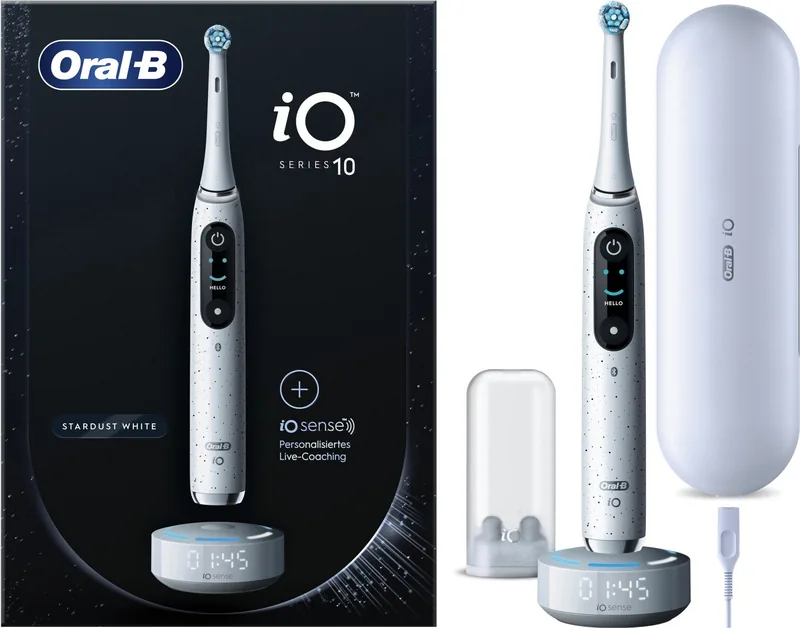
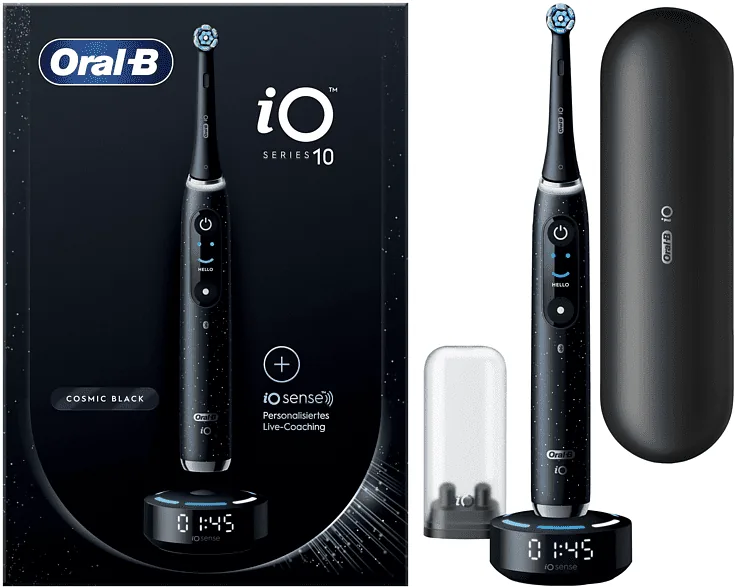
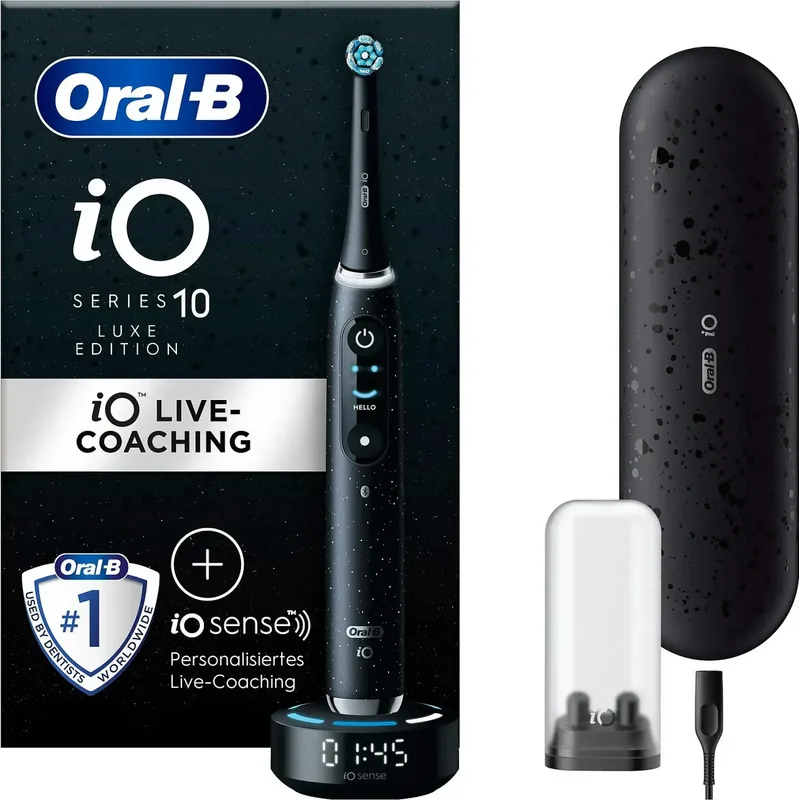
Oplaadstation, Oplaaddoosje, Mini-doosje voor reserveborstels, 1 reserveborstel (1 Ultimate Cleaning)
Product Beschrijving
Oral-B iO Serie 10 Recensie
De Oral-B iO Serie 10 vertegenwoordigt de topkwaliteit van elektrische tandenborsteltechnologie, ontworpen voor superieure mondzorg en gebruikersvriendelijkheid. Een opvallend kenmerk is de geïntegreerde lichtring die fungeert als slimme druksensor. Deze verandert van kleur van groen naar rood om aan te geven of u de juiste hoeveelheid kracht uitoefent of dat u moet loslaten om uw tandvlees te beschermen. Dit intelligente systeem helpt te zorgen voor een zachte maar grondige poetsbeurt elke keer dat u poets.
Functie-overzicht
Opladen wordt geregeld door het iOsense oplaadstation, dat niet alleen de accu op laadt maar ook live begeleiding aanbiedt. Wanneer de tandenborstel op de magnetische houder wordt geplaatst, traceert de lader uw dekking en drukverdeling over de boven- en onderkaak. Dit ecosysteem verbindt naadloos met de Oral-B App op uw smartphone via Bluetooth-verbinding. Via de app kunt u uw borstelmodi personaliseren, uw reinigingsvoortgang in de tijd volgen en belangrijke herinneringen ontvangen om uw borstelkop effectief te vervangen.
De tandenborstel biedt zeven specifieke schoonmaakmodi die zijn afgestemd op verschillende mondzorgbehoeften. Deze omvatten dagelijkse reiniging, gevoelig, tandvleesverzorging, witten, intens, super gevoelig en tongreiniging. Elke modus past de beweging van de borstelkop aan om resultaten voor specifieke gebieden van de mond te optimaliseren. De ingebouwde timer zorgt ervoor dat u de door de tandarts aanbevolen twee minuten poetsduur volgt door elke dertig seconden te signaleren om naar het volgende kwadrant te gaan. Het onthoudt ook de tijd, zelfs als het apparaat kort wordt gepauzeerd.
Onderhoud is eenvoudig dankzij de slimme druksensor die u eraan herinnert de borstelkop elke drie maanden te vervangen. De accu is oplaadbaar en houdt stroom goed vast tijdens reizen, vooral in combinatie met de optionele reistas. Oral-B staat achter dit premium product met een twee jaar durende garantie die fabricagefouten dekt. Veiligheidsfuncties omvatten voorzorgen voor gebruikers met geïmplanteerde medische apparaten. Zij moeten een veilige afstand bewaren van de magneetvelden gegenereerd door het apparaat om interferentie te voorkomen.
Dit allesomvattende systeem combineert precisie-engineering met slimme technologie om uw dagelijkse hygiëneroutine te verhogen naar een professioneel standaard dat geschikt is voor het hele gezin.
Zoek naar 67.706 Handleidingen online


Typ merk of model in