
Manual.ly Logo

Muse M-22 Handleiding

0,0 · 0 Beoordelingen

PDF handleiding · 15 Pagina's

Nederlands

M: OA-GPT-5-NAN
pagina

/ 15

Loading...
d976c30e977b2df99508530257acca3ac3c8 page 5
EN - 3 EN - 4
SPECIFICATIONS
POWER SUPPLY:
AC:
DC:
POWER CONSUMPTION:
OUTPUT POWER:
BLUETOOTH
Bluetooth Version: V5.0
Bluetooth:2.402-2.48GHz
RF Output Power: 0 dBm
Working Distance: Up to 10 meters measured in open space (wall and structures may a󰀨ect range of device)
Specications are subject to change without notice.
RADIO
FREQUENCY RANGE
FM:
AM(MW):
230V 50Hz
9V 6x 1,5 V type UM-2/R14/ ‘C’
14W
2 x 1 Watt RMS
87.5 - 108 MHz
522 - 1620 kHz
SAFETY
CAUTION:
To reduce the risk of electric shock, do not disassemble this product. The unit contains no
user serviceable parts inside . Refer all servicing to a qualied technician.
The lightning ash with arrowhead within a triangle alerts the user to the presence of “dangerous voltage” inside
the product.
The exclamation point within a triangle to alert the user to the presence of important instructions in the literature
accompanying the appliance.
WARNING: TO PREVENT FIRE OR SHOCK HAZARD, DO NOT EXPOSE THIS PRODUCT TO RAIN OR MOISTURE.
ATTENTION: Invisible when safety devices are open or defective laser radiation . Avoid exposure to beam.
Device class 1 laser.
ATTENTION!
- Ensure proper ventilation of the unit and do not cover the ventilation openings with items such as newspapers,
tablecloths, curtains, etc. .
- Do not put any heat sources , such as lighted candles , on or near the appliance .
- Use this unit in a temperate climate .
- Do not expose the unit to dripping or moisture .
- Ensure a minimum distance of 5 cm around the unit to allow adequate ventilation.
- Do not place objects lled with liquids, such as vases, on or near the appliance.
- The plate is located at the rear of this unit.
- The mains plug is used to disconnect the device and must be easily accessible. To completely remove power from the
unit, unplug the AC power plug from the outlet completely. The AC power plug can not be constrained and must be
easily accessible during use.
- As a result of electrostatic phenomena and / or electrical transients, the product may malfunction and reset may be
necessary.
- Do not expose the batteries to excessive heat such as direct sunlight, re or other sources of heat.
- Please respect the environment when disposing of used batteries.
- To prevent splashing, place objects lled with liquids, such as vases, near the product.
- Under the inuence of fast transient and / or electrostatic electric phenomenon, the product may malfunction and the
user must perform a power reset of the device.
- The normal function of the product may be disturbed by strong Electro-Magnetic Interference. If so, simply reset the
product to resume normal operation by following the instruction manual. In case the function could not resume, please
use the product in other location.
If you want to dispose this product, remember to recycle in a landll for household electric appliances. Learn
to know your recycling center nearest you. Check with local authorities or your dealer for details. (Directive on
Waste Electrical and Electronic Equipment )
CLASS 1 LASER PRODUCT
APPAREIL À LASER DE CLASSE 1
PRODUCTO LASER DE CLASE 1
PRODUTO LASER CLASSE 1
PROGRAM PLAYBACK
1. Insert the disc with the label facing up, into the compartment and close the CD door.
2. Press .
3. Press .
4. Select the desired track with or then press to save the program in memory.
5. Repeat step 4 until the end of your programming.
6. Press to start playback. This PROGRAM function is automatically cancelled when opening the CD door or shutdown
of the unit.
Note: CD up to 20 programs.
MAINTENANCE
CLEANING
CAUTION: Disconnect this device from any power source before cleaning.
- Use a soft, clean, dry cloth. Dust regularly ventilation holes on the back or sides of the apparatus.
- The use of solvents or abrasive products or with a basis of alcohol can damage the unit.
- If an object or liquid enters the unit, unplug it immediately and have it checked by an authorized engineer.
Notes on discs
* Do not use irregularly shaped discs (example : heart-shaped, octagonal ones). The unit may malfunction.
* Do not place more than one disc in the compartment.
* Do not attempt to open the disc tray during playback.
* Do not touch the lens. You could cause a malfunction.
* If the disc is scratched, dirty or smudged with ngerprints, the device may not work. Before playing, wipe the disc with a
cloth. Proceed from the center outwards. Do not store discs in places with high temperature or high humidity. They could
bend. After reading, replace the disc in its case.
IMPORTANT NOTE
Remove the disc from its compartment if the device is to be transported.
AUXILIARY INPUT ( AUX . IN)
1. Connect one end of the cable (not supplied) to the auxiliary input connector of the device.
AUX IN
2. Connect the other end of the cable to the headphones jack or the line out jack of your external audio appliance.
3. Press to select the auxiliary mode. « AUX » appears on the display. Normally use your external audio appliance;
the sound automatically goes through the speakers of your device.
4. Adjust the volume to the desired level.
5. Disconnect the external appliance from the auxiliary input to stop playback.
LISTENING TO DISC
1. Press to turn the unit on.
2. Open the CD door.
3. Insert the disc with the label facing up and then close the compartment.
4. Press to select the CD mode.
5. After a few seconds, the total number of tracks and the CD icon will appear on the display.
To:
- Pause Playback: Press once / PAIR
- Resume playback: Press again / PAIR
- Permanently stop playback: Press
- Search forward or backward: Press and hold or
- To skip to the next or previous track: press or
DISK ERROR
Note: If the disc is dirty, damaged or unreadable or if it is placed upside down, “NO” is displayed. If this happens, clean the
disc, insert the disc correctly or try another disc.
If you encounter CD playback problem, either of the following ways may help:
1. Turn o󰀨 the unit. Disconnect the AC power cord from AC outlet and reconnect it again.
2. Clean your CD disc.
REPEAT PLAYBACK
Repeatedly press to select one of the following playback modes. Track Repeat, Repeat All.
TO DISABLE THE REPEAT PLAYBACK
Press repeatedly until the repeat mode indicator disappears from the display. The repeat function is automatically
cancelled at the opening of the door of the CD or the shutdown of the unit.
NEW ONE S.A.S
10, Rue de la Mission, 25480 Ecole Valentin, France
RD-3353TC IB MUSE 001 REV2.indd 5RD-3353TC IB MUSE 001 REV2.indd 5 2023/5/17 15:38:342023/5/17 15:38:34

Chat met je Muse M-22-handleiding via AI

Krijg direct AI-antwoorden uit je Muse M-22-handleiding

Vraag alles over Muse M-22. Antwoorden komen uit deze handleiding, met de pagina's waarop ze zijn gebaseerd.

M-22 Onderhoudsschema

Regelmatig
Stofgaten reinigen

Gebruik een zachte, schone, droge doek om regelmatig stof van de ventilatiegaten aan de achter- of zijkant van het apparaat te verwijderen. Bedek deze openingen niet met objecten.

Voor gebruik
CD-schijf reinigen

Veeg de schijf met een zachte doek van het midden naar buiten voordat u hem afspeelt als hij gekrast, vuil of met vingerafdrukken bevuild is.

M: QW-35-FL

Stel eenVraag

0/1000

Beveel je M-22 aan?

Ja Nee

Veelgestelde Vragen

A

De M-22 ondersteunt cd-weergave (standaard audio-cd's), FM- en AM (MW)-radio, Bluetooth-draadloze streaming en een AUX-ingang voor bekabelde externe audio-bronnen.

Is dit antwoord nuttig?

A

Selecteer de Bluetooth-modus op het apparaat, schakel Bluetooth op je telefoon in en zoek naar apparaten. Kies "M-22 BT" en bevestig. Indien gevraagd, voer pincode 0000 in. Een piep en een pictogram geven succesvolle koppeling aan.

Is dit antwoord nuttig?

A

Ja. Het apparaat gebruikt zes 1,5V C (UM-2/R14) batterijen. Plaats ze met de juiste polariteit en ontkoppel het netsnoer om op batterijen te werken. Verwijder batterijen bij langdurige opslag om lekkage te voorkomen.

Is dit antwoord nuttig?

A

Je kunt een station handmatig of automatisch afstemmen, de geheugenknop indrukken om een voorkeursplaats te selecteren (bijv. P01) en opslaan. Opgeslagen stations overschrijven een bestaand station op het gekozen voorkeursnummer.

Is dit antwoord nuttig?

A

Als het display een fout toont, reinig de schijf van het midden naar de rand, zorg dat deze met de bedrukte zijde naar boven is geplaatst, probeer een andere schijf en schakel het apparaat indien nodig uit en weer in door het netsnoer los te koppelen en opnieuw aan te sluiten.

Is dit antwoord nuttig?

A

Bluetooth v5.0, frequentie 2,402–2,480 GHz, RF-uitgang 0 dBm. Het bereik is tot ongeveer 10 meter in open ruimte; obstakels en muren kunnen het effectieve bereik verminderen.

Is dit antwoord nuttig?

A

Ja. Houd ventilatie vrij (laat ongeveer 5 cm ruimte), vermijd vocht en hitte, ontkoppel de voeding voor reiniging, gebruik een zachte droge doek, vermijd oplosmiddelen en recycle batterijen en het apparaat volgens lokale regels.

Is dit antwoord nuttig?

M: OA-GPT-5-NAN

Voordelen en Nadelen

Voordelen

  • Meerdere afspeelopties: cd, FM/AM-radio, Bluetooth v5.0 en AUX-ingang.
  • Draagbaar met dubbele voeding: netstroom of 6×C-batterijen voor gebruik onderweg.
  • Eenvoudige bediening met voorkeuren, programmeerbare weergave (tot 20 tracks) en herhaalmodi.
  • Bluetooth-koppeling is eenvoudig; apparaat verschijnt als "M-22 BT" en ondersteunt draadloze streaming tot 10 m.
  • Onderhouds- en cd-advies inbegrepen; apparaat voldoet aan toepasselijke EU-conformiteitsnormen.
VS

Nadelen

  • Beperkt uitgangsvermogen (2 × 1 W RMS) — niet ideaal voor grote kamers of luisteren op hoog volume.
  • CD-mechanisme gevoelig voor krassen/vuil op schijven; onregelmatige schijfvormen worden niet ondersteund.
  • Batterijwerking gebruikt zes C-cellen, wat omvangrijk en kostbaar kan zijn bij frequent draagbaar gebruik.
  • Bluetooth-bereik en prestaties kunnen worden beïnvloed door muren en obstakels; zichtlijn aanbevolen.
  • Basis functieset zonder geavanceerde audioverbeteringen (EQ, digitale radio of streaming-apps).
M: OA-GPT-5-NAN

Product Specificatie

Audioformaten

CD-Audio, CD-R/RW

Tuner

FM, AM

Display

LED, Tijd

Audioaansluitingen

AUX In (3.5mm jack)

Draadloos

Bluetooth

Stroomvoorziening

C-batterij, Netvoeding

Bijzondere kenmerken

Telescoopantenne

Gewicht

1,40kg

M: GO-GEM-FL-25

Product Beschrijving

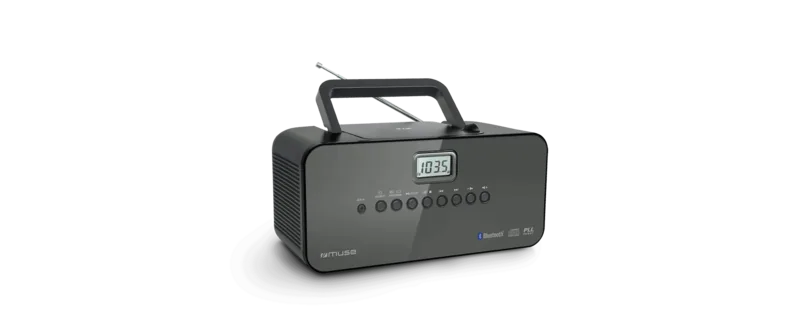
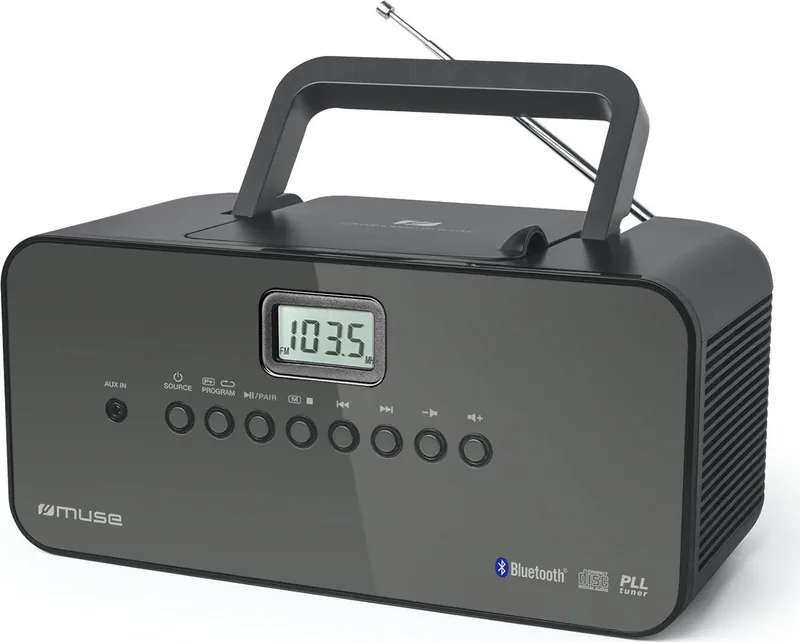
Muse M-22 — Compacte Bluetooth CD-radio

De Muse M-22 is een veelzijdige draagbare audio-eenheid die een cd-speler, FM/AM-radio, Bluetooth-streaming en een AUX-ingang combineert in een lichtgewicht apparaat dat op batterijen of netstroom kan werken. Met een uitschuifbare FM-antenne, goed afleesbaar lcd-scherm en frontluidsprekers is het gericht op gebruikers die een eenvoudige alles-in-één muziekoplossing voor thuis, reizen of buitengebruik willen.

De speler accepteert standaard audio-cd's (tot 20 nummers programmeerbare afspeellijsten), ondersteunt pauze/stop/skip- en herhaalmodi, en waarschuwt bij schijf fouten door vuile of beschadigde schijven. Radiokenmerken omvatten handmatige en automatische afstemming, stationvoorkeuren en aanwijzingen om de ontvangst te optimaliseren (verleng de antenne voor FM, draai het apparaat voor AM). Bluetooth v5.0 biedt draadloze streaming tot ongeveer 10 meter in open ruimte en handmatige koppeling met de apparaatsnaam "M-22 BT" (standaard pincode 0000 indien vereist).

Stroomopties zijn flexibel: gebruik het apparaat op netstroom (230V~50Hz) of zes C-batterijen voor draagbaar gebruik. Batterijnotities en veiligheidstips worden gegeven — verwijder batterijen wanneer het apparaat lange tijd niet wordt gebruikt, mix geen batterijtypes en vermijd blootstelling van batterijen aan hitte. Het apparaat voldoet aan relevante Europese richtlijnen en bevat standaard veiligheidswaarschuwingen over vocht, ventilatie, klasse 1 laser-cd-optiek en instructies voor verwijdering/recycling.

Bediening is eenvoudig: een enkele bron/aan-uitknop schakelt tussen FM, AM (MW), CD, Bluetooth en AUX-modi; speciale knoppen regelen afspelen/pauze/koppelen, geheugen/voorinstelling, afstemming/skip, volume omhoog/omlaag en programma/opslaan voor cd-weergave. De aux-ingang laat je externe audioapparaten via een kabel aansluiten om geluid via de luidsprekers van het apparaat te laten horen.

Onderhoud is eenvoudig: zet het apparaat uit voor reiniging, gebruik een zachte droge doek, vermijd oplosmiddelen en houd ventilatieopeningen stofvrij. Voor cd-onderhoud veeg schijven van het midden naar de rand, vermijd onregelmatig gevormde media en verwijder schijven voordat je het apparaat vervoert.

Opmerkingen:

  • Bluetooth: V5.0, 2,402–2,48 GHz, 0 dBm RF-uitgang, tot 10 m open bereik.
  • CD: ondersteunt programmeerbare weergave (tot 20 tracks), herhaalmodi en standaard foutafhandeling voor cd's.
  • Stroom: netstroom 230V 50Hz of DC 9V via 6×1,5V C-batterijen.

Korte samenvatting

  • Draagbare CD-radio met Bluetooth-streaming en AUX-ingang
  • Eenvoudige bediening, stationvoorkeuren en cd-programmering
  • Dubbele voeding: netstroom of batterijen; klasse 1 laser-cd-mechanisme
M: OA-GPT-5-NAN

© Copyright 2026 Manual.ly