
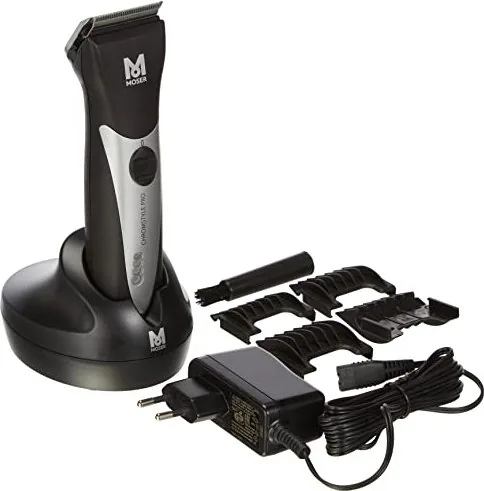
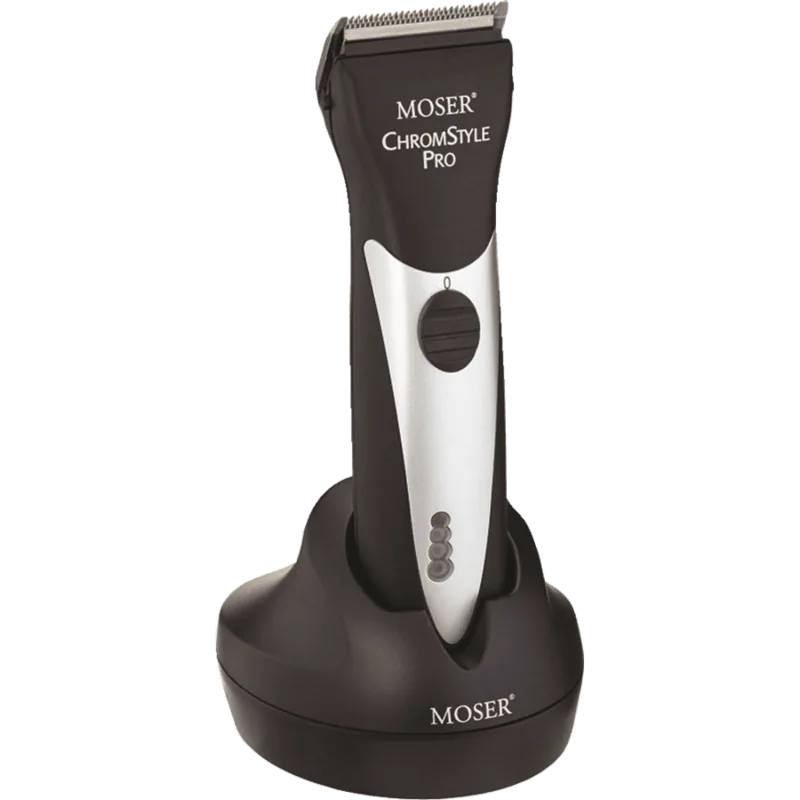
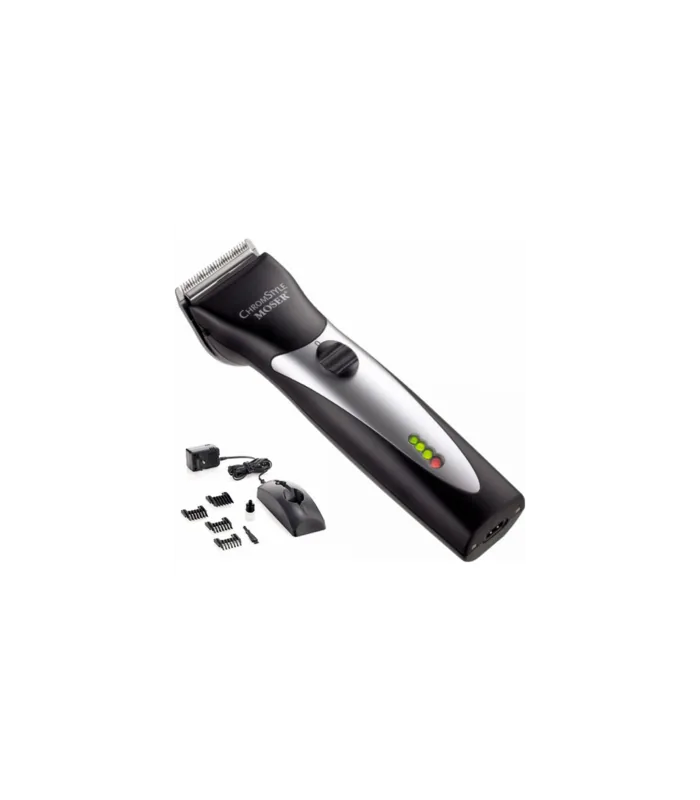
Moser ChromStyle Pro 1871-0071 Handleiding
PDF handleiding · 116 Pagina's
Nederlands



Snelle check
Onjuist antwoord, probeer opnieuw.
Chat met je Moser ChromStyle Pro 1871-0071-handleiding via AI
Krijg direct AI-antwoorden uit je Moser ChromStyle Pro 1871-0071-handleiding
Vraag alles over Moser ChromStyle Pro 1871-0071. Antwoorden komen uit deze handleiding, met de pagina's waarop ze zijn gebaseerd.
ChromStyle Pro 1871-0071 Onderhoudsschema
Als het knipvermogen achteruitgaat ondanks regelmatig schoonmaken en oliën, vervang dan het messet.
Verwijder de aanhechting kam, til het messet op en verwijder haar met een borstel en reinigingshendel.
Breng olie aan op het messet na het reinigen om goede snijprestaties te garanderen.
Gratis onderhoudsherinneringen
Afgestemd op uw aankoopdatum. Altijd gratis, op elk moment afmelden.
Stel eenVraag
Beveel je ChromStyle Pro 1871-0071 aan?
Ja NeeVeelgestelde Vragen
Het apparaat biedt tot 90 minuten ononderbroken gebruiksduur wanneer de batterij volledig is opgeladen.
Is dit antwoord nuttig?
Nee, gebruik het apparaat niet in natte omgevingen of in de buurt van water om gevaar voor elektrische schokken te voorkomen. Houd het altijd in droge ruimtes.
Is dit antwoord nuttig?
Je kunt de snijlengte direct aan de kop aanpassen aan vijf posities variërend van 0,7 mm tot 3 mm.
Is dit antwoord nuttig?
Nee, de batterij mag alleen worden vervangen door geautoriseerd servicecenters om veiligheid en garantie te behouden.
Is dit antwoord nuttig?
Verwijder de opzetstukken en haarresten, gebruik dan de makkelijk reinigingshendel en een borstel om de messen schoon te maken.
Is dit antwoord nuttig?
Ja, het wordt geleverd met kammen voor 3 mm, 6 mm, 9 mm en 12 mm snijlengtes.
Is dit antwoord nuttig?
Ja, deze accepteert 100 tot 240 volt, waardoor het compatibel is met internationale stopcontacten.
Is dit antwoord nuttig?
Voordelen en Nadelen
Voordelen

- Lange batterijduur tot 90 minuten ononderbroken gebruiksduur voor uitgebreid gebruik zonder onderbreking.
- Geïntegreerd automatisch sensorsysteem waarschuwt gebruikers wanneer messen smeren of reinigen nodig is om schade te voorkomen.
- Instelbare snijlengte posities maken precieze sneden mogelijk van 0,7 mm tot 3 mm voor verschillende stijlen.
- Universele spanning voedingsadapter ondersteunt 100 tot 240 volt, waardoor het veilig is voor internationaal reizen.
- Gemakkelijke reinigingshendel mechaniek maakt snelle verwijdering van haarresten tussen de messen mogelijk.
Nadelen

- Gebruiker kan de batterij zelf niet vervangen en moet een geautoriseerd servicecentrum gebruiken.
- Apparaat moet uit de buurt van water en natte omgevingen worden gehouden om risico's op elektrische schokken te voorkomen.
- Regelmatig smeren is verplicht voor de messen om soepele werking en duurzaamheid op lange termijn te garanderen.
- Vervangen van het messtel vereist professionele service als prestatie afneemt ondanks onderhoud.
- Vermijd het gebruik van het apparaat in gebieden met ontvlambare aerosolen of waar zuurstof wordt vrijgegeven.
Product Specificatie
Type
Haarknipper
Voeding
Netstroom, Draadloos (Li-Ion)
Kniplengtes
0,08-1,19 cm
Mesbreedte
4,60 cm
Functies
Oplaadindicator
Bedrijfstijd
1 uur
Oplaadtijd
90 minuten
Inhoud van de verpakking
Oplaadstation, reinigingsborstel, olie, 2 batterijen
Product Beschrijving
De Moser 1871-0071 ChromStyle Pro black is een veelzijdig verzorgingsinstrument ontworpen voor zowel professionele kappers als thuisgebruikers. Deze draadloze haarscherper beschikt over een krachtige DC-motor gepaard met een LiFePO4 lithiumbatterij die tot 90 minuten ononderbroken gebruiksduur biedt zonder hinder van netsnoeren. Het compacte en lichte ontwerp maakt het uitzonderlijk makkelijk te hanteren tijdens ingewikkelde stylingtaken. Het automatische sensorsysteem is een uitblinkend kenmerk, continu het messtel monitoren op olielevel en reinheid. Als onderhoud nodig is, waarschuwt een akoestisch signaal de gebruiker, gecombineerd met een knipperende batterijindicator om operationele problemen te voorkomen en de motor te beschermen.
Precisie knippen is centraal in de prestaties van dit apparaat. Gebruikers kunnen de snijlengte direct aan de kop aanpassen aan vijf specifieke posities variërend van 0,7 mm tot 3 mm. Deze flexibiliteit maakt diverse haarlengten en stijlen mogelijk zonder voortdurend opzetstukken te hoeven wisselen. De standaard verpakking wordt geleverd met multiple opzetstukken van 3 mm, 6 mm, 9 mm en 12 mm voor verschillende snijlengten om aan diverse behoeften te voldoen. Schoonmaken is opvallend simpel door de makkelijk reinigingshendel geïntegreerd in de mesassemblage. Dit stelt gebruikers in staat haar opgehoopt tussen de boven- en ondermessen snel en efficiënt te verwijderen.
Veiligheidsprocedures zijn essentieel voor de levensduur en veiligheid van het apparaat. Het apparaat mag nooit gebruikt worden in natte omgevingen of bij waterbronnen zoals badkamers waar het kan vallen. Het mag ook niet gebruikt worden in gebieden met ontvlambare aerosolen of zuurstofsystemen. De voedingsadapter is universeel, accepteert 100 tot 240 volt, waardoor het geschikt is voor internationaal reizen zonder extra transformatoren. Het batterijlaadproces wordt intelligent beheerd om overladen te voorkomen, waarborgend de batterijchemie vele gebruiksycli meegaat voor vervanging. Zodra de batterij volle capaciteit bereikt, een geluidssignaal signaliseert de gebruiker dat laden compleet is.
Regelmatig onderhoud is cruciaal voor consistente prestaties en duurzaamheid. Olie de messen frequent voorkomt voortijdige slijtage en zorgt voor soepele werking tijdens haarknip sessies. Als snijkwaliteit significant afneemt ondanks regelmatig onderhoud, kan het messtel professionele vervanging nodig hebben bij een geautoriseerd servicecentrum. Hygiëne spray moet gebruikt worden om de messen grondig te desinfecteren na elke sessie om gezondheidsnormen te behouden. Eliminatie van het apparaat moet strikt voldoen aan lokale elektronisch afval regelgeving om het milieu te beschermen. De Moser 1871-0071 ChromStyle Pro black Handleiding bevat gedetailleerde instructies over al deze onderhoud en veiligheidsprocedures om optimale functie te garanderen.
Zoek naar 67.706 Handleidingen online


Typ merk of model in