
Krups EA8170 Arabica Display Handleiding
PDF handleiding · 74 Pagina's
Nederlands



Snelle check
Onjuist antwoord, probeer opnieuw.
Chat met je Krups EA8170 Arabica Display-handleiding via AI
Krijg direct AI-antwoorden uit je Krups EA8170 Arabica Display-handleiding
Vraag alles over Krups EA8170 Arabica Display. Antwoorden komen uit deze handleiding, met de pagina's waarop ze zijn gebaseerd.
EA8170 Arabica Display Onderhoudsschema
De cartridge heeft een datummechanisme dat de vervanging aangeeft na maximaal 2 maanden om optimale smaak en levensduur van het apparaat te garanderen.
Plaats een KRUPS reinigingstablet in de trechter. Vul het waterreservoir tot het maximale niveau. Plaats een container van 0,6 L onder de uitlaten en start de cyclus.
Verwijder de filtercartridge indien geïnstalleerd. Voeg één zakje KRUPS ontkalker toe aan het waterreservoir tot de CALC-markering. Voer het volledige programma uit.
Leeg en reinig beide componenten wanneer het waarschuwingssymbool knippert of de drijvers aangeven dat ze vol zijn. Installeer correct opnieuw om fouten te voorkomen.
Voer een korte stoomcyclus uit boven een container om melkresten weg te spoelen. Verwijder het pijpje voor grondige reiniging met een borstel en naald indien verstopt.
Voer een handmatige spoeling uit via het onderhoudsmenu om stilstaand water uit de koffie- en stoomcircuits te verwijderen voordat u brouwt.
Gratis onderhoudsherinneringen
Afgestemd op uw aankoopdatum. Altijd gratis, op elk moment afmelden.
Stel eenVraag
Beveel je EA8170 Arabica Display aan?
Ja NeeVeelgestelde Vragen
U kunt de sterkte aanpassen door de fijnheidsknop binnenin de bonnencontainer te draaien. Links draaien maakt de maal finer voor sterkere koffie, terwijl rechts draaien het grover maakt voor mildere koffie.
Is dit antwoord nuttig?
Voor de beste resultaten gebruikt u zeer verse, koude gepasteuriseerde of UHT-melk. Vermijd rauwe melk omdat deze geen optimale schuimconsistentie produceert.
Is dit antwoord nuttig?
De machine waarschuwt u wanneer er gereinigd moet worden. Het wordt aanbevolen om het reinigingsprogramma maandelijks uit te voeren of wanneer het indicatielampje knippert om hygiëne te behouden.
Is dit antwoord nuttig?
Ja, de machine heeft een functie voor twee koppen die automatisch twee volledige voorbereidingscycli achtereenvolgens uitvoert om twee koppen tegelijk te serveren.
Is dit antwoord nuttig?
Zorg ervoor dat u uw kopjes voorverwarmt met heet water. U kunt ook de koffietemperatuurinstelling in het onderhoudsmenu verhogen als het standaardniveau te laag is.
Is dit antwoord nuttig?
Voordelen en Nadelen
Voordelen

- Compact Thermoblock-systeem zorgt voor snelle verwarming en energie-efficiëntie
- 15-bar pomp levert authentieke crema bij elke shot
- Intuïtief LCD-scherm vereenvoudigt navigatie en programmering
- Metalen conusmolen zorgt voor consistente versheid voor alle bonentypes
- Geautomatiseerde reinigings- en ontkalkingscycli verminderen handmatige inspanning
Nadelen

- Stoomstang vereist handmatige schuimtechniek voor optimale textuur
- Waterreservoircapaciteit kan frequent navullen vereisen voor zware gebruikers
- Optionele accessoires zoals auto-cappuccino-set apart verkrijgbaar
- Maalaanpassing moet worden gedaan terwijl de machine draait voor nauwkeurigheid
- Ontkalkingscyclus vereist specifieke KRUPS-producten voor de beste resultaten
Product Specificatie
Vermogen
1948,25W
Kleur
zwart
Pompdruk
14,99bar
Koffiesysteem
helaarbonen
Melksysteem
nee
Molen
instelbare conische molen (3 standen)
Koffiehoeveelheid
instelbaar
Waterhoeveelheid
instelbaar
Koffietemperatuur
instelbaar (3 standen)
Watertankinhoud
1,7l
Bonenreservoirinhoud
0,26kg
Scherm
ja
Functies
twee keer instelbare drankuitloop, automatische uitschakeling, stoompijpje, melkopschuimer (Cappuccinatore), heetwaterfunctie, geïntegreerd waterfilter, automatisch reinigingsprogramma, automatisch ontkalkingsprogramma
Afmetingen
38x48,4x28,7cm (BxDxH)
Gewicht
7,00kg
Product Beschrijving
Ontdek de Krups EA 8170 Arabica Display Zwart Handmatige Ervaring
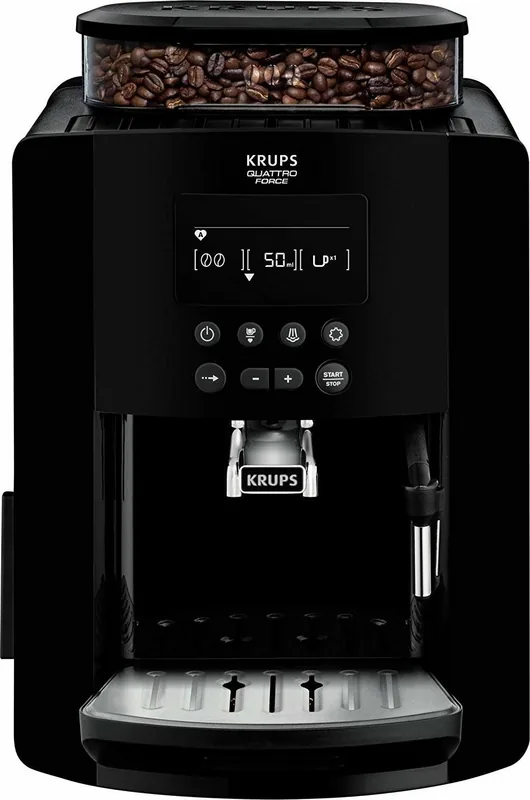
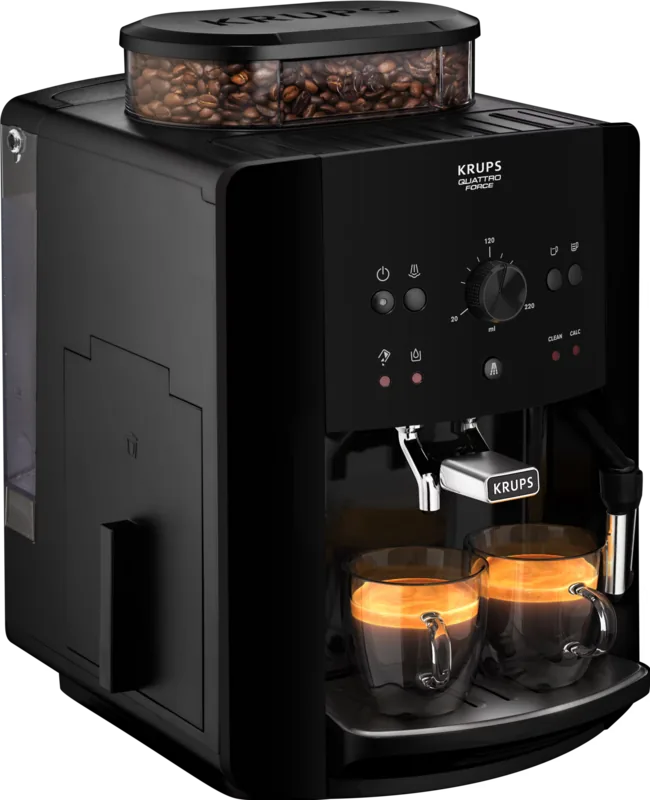
Welkom in de wereld van thuisbrouwen met de Krups EA 8170 Arabica Display Zwart. Dit automatische espressomachine is ontworpen voor mensen die restaurantkwaliteit koffie eisen zonder hun keuken te verlaten. Het apparaat beschikt over een Compact Thermoblock-systeem en een krachtige 15-bar pomp, waardoor elke kop ristretto, espresso of koffie wordt geëxtraheerd op de perfecte temperatuur met maximaal aroma.
Het gebruiksvriendelijke LCD-scherm leidt u door elke stap, van het bereiden van uw favoriete drank tot het uitvoeren van essentieel onderhoud. U heeft volledige controle over volume, intensiteit en temperatuur, zodat u elk drankje naar uw exacte voorkeur kunt aanpassen. Of u nu verlangt naar een sterke espresso of een romige cappuccino met de stoomstang, deze machine levert consistente resultaten. De metalen molen zorgt ervoor dat verse bonen worden gemalen vlak voordat ze worden geëxtraheerd, waardoor de rijke oliën en smaken behouden blijven die een geweldige kop koffie definiëren.
Onderhoud is eenvoudig dankzij geautomatiseerde programma's voor spoelen, reinigen en ontkalken. De machine waarschuwt u wanneer er aandacht nodig is, wat zorgt voor levensduur en optimale prestaties. Met zijn strakke zwarte ontwerp en ergonomische interface past de Krups EA 8170 naadloos in elke moderne keuken terwijl hij professionele functionaliteit biedt.
Belangrijke Opmerkingen voor Gebruikers
- Verwarm altijd uw porseleinen kopjes voor voor de beste espressotemperatuur en crema.
- Gebruik vers, koud kraanwater vrij van chloor voor superieure smaak.
- Pas de malafijnheidsknop tijdens het malen aan voor de meest nauwkeurige instellingen.
- Reinig de stoommond direct na gebruik om ophoping van melkresten te voorkomen.
- Gebruik de optionele Claris Aqua Filter cartridge om de levensduur van de machine te verlengen en de smaak te verbeteren.
Zoek naar 67.706 Handleidingen online


Typ merk of model in