
JBL Aquaristic ProFlora CO2 Control Handleiding
PDF handleiding · 81 Pagina's
Nederlands



Snelle check
Onjuist antwoord, probeer opnieuw.
Chat met je JBL Aquaristic ProFlora CO2 Control-handleiding via AI
Krijg direct AI-antwoorden uit je JBL Aquaristic ProFlora CO2 Control-handleiding
Vraag alles over JBL Aquaristic ProFlora CO2 Control. Antwoorden komen uit deze handleiding, met de pagina's waarop ze zijn gebaseerd.
ProFlora CO2 Control Onderhoudsschema
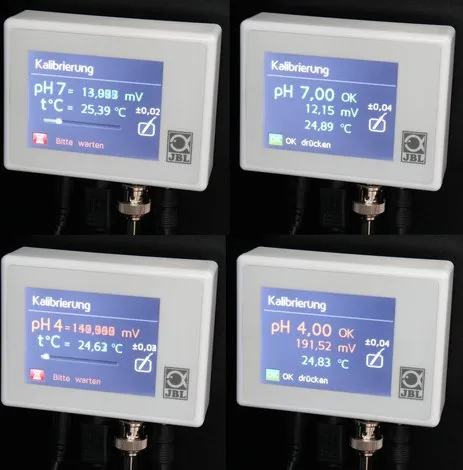
Voer een twee-puntskalibratie uit met bufferoplossingen van pH 7,00 en vervolgens pH 4,00. Het apparaat beveelt intervallen van 30, 45 of 60 dagen aan, waarbij 30 dagen de fabrieksstandaard is.
Verwijder vuil van de glazen sensortip door deze voorzichtig af te deppen met een zachte doek. Wrijf nooit stevig om beschadiging van de gevoelige tip te voorkomen.
Controleer regelmatig of de sensor volledig in het water ondergedompeld is. Als de sensor eruit wordt gehaald of als het waterniveau daalt, zijn de metingen onjuist en kan het leven van vissen in gevaar komen.
Gratis onderhoudsherinneringen
Afgestemd op uw aankoopdatum. Altijd gratis, op elk moment afmelden.
Stel eenVraag
Beveel je ProFlora CO2 Control aan?
Ja NeeVeelgestelde Vragen
Het apparaat beveelt kalibratie elke dertig dagen aan om hoge nauwkeurigheid te behouden. De timer wordt gereset bij succesvolle voltooiing. Frequent kalibratie compenseert voor natuurlijke verouderingsprocessen van de sensor.
Is dit antwoord nuttig?
Auto pH berekent het optimale pH-doelpunt op basis van de ingevoerde koolzure hardheid. Het gebruikt een standaard CO2-waarde van 22.5 mg/l om veilige doelen voor planten en vissen te bepalen.
Is dit antwoord nuttig?
Nee, de pH-sensor wordt los verkocht als onderdeel van een dedicated kit. Kopers moeten de JBL PROFLORA CO2 pH SENSOR SET zelfstandig verwerven voor volledige functionaliteit.
Is dit antwoord nuttig?
Ja, het kan worden gebruikt met calciumreactoren in zoutwater applicaties. Het bewaakt de pH binnen de reactor om CO2-dosering te reguleren voor effectieve kalkoplossing.
Is dit antwoord nuttig?
U kunt vergrendeling inschakelen via het instellingenmenu. Voer een viercijferig wachtwoord in of gebruik het masterwachtwoord 7442 om de interface na vergrendeling te ontgrendelen.
Is dit antwoord nuttig?
Standaard alarmen activeren als pH afwijkt plus of min 1.00 of temperatuur buiten 20 tot 30 graden Celsius gaat. Deze limieten zijn aanpasbaar via het menu.
Is dit antwoord nuttig?
Voordelen en Nadelen
Voordelen

- Automatische pH-regeling op basis van ingevoerde koolzure hardheid vermindert handmatige inspanning aanzienlijk.
- Kleurrijk touchscreen stelt intuïtieve menunavigatie en statusbewaking makkelijk in staat.
- Bedienen met lage spanning zorgt voor maximale gebruiksveiligheid tijdens installatie en dagelijks gebruik.
- Ondersteuning voor meerdere talen omvat negen opties afgestemd op diverse internationale markten wereldwijd.
- Uitgebreid alarmsysteem waarschuwt eigenaren van kritieke afwijkingen via visuele en audio signalen.
Nadelen

- pH-sensor moet apart worden aangeschaft wat initiële kosten toevoegt aan de setup.
- Regelmatige kalibratie elke 30 dagen is vereist om meetnauwkeurigheid consistent te handhaven.
- Sensoren verouderen na verloop van tijd vereisen vervanging typisch elke twee jaar van gebruik.
- Handmatige installatie van rail en sensoren vereist basistechnische kennis en gereedschap.
- Stroomonderbrekingen resetten kalibratietijdklokken leiden tot tijdelijke volgproblemen.
Product Specificatie
Categorie
Waterbehandeling, Waterparameters
Type
Regelaar voor CO2-regelaar met magneetventiel (BNC-aansluiting voor pH-elektrode, thermometer, touchscreen)
Geschiktheid
Zoetwater, Aquarium
Afmetingen
8,89x6,71x2,49 cm (BxHxD)
Gewicht
0,46 kg
Product Beschrijving
JBL Pro Flora CO2 Controle Handleiding Overzicht
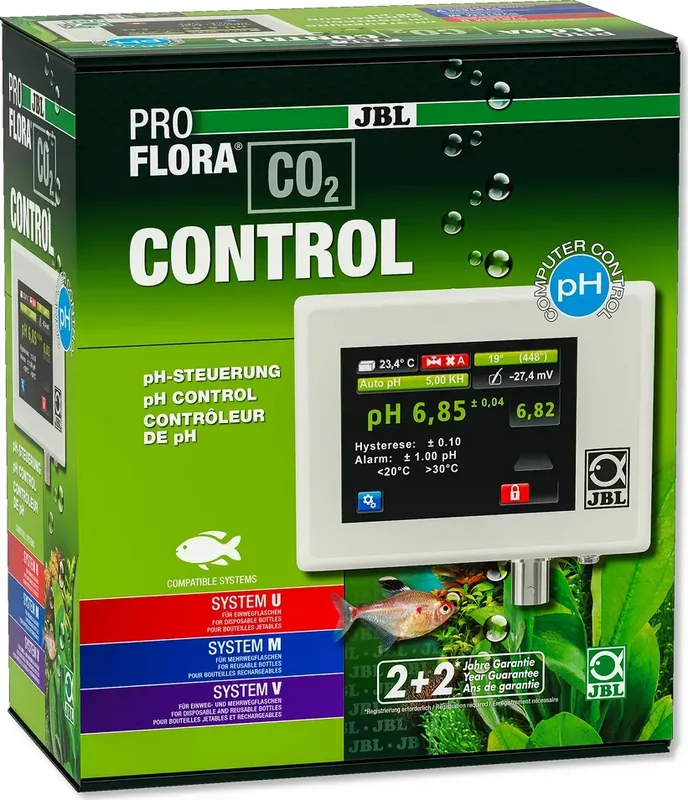
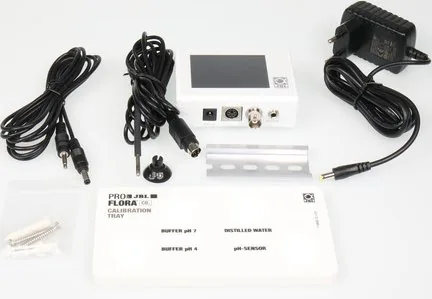
Het onderhouden van een gezond aquariummilieu vereist nauwkeurige bewaking van kooldioxide-niveaus om aquatische vegetatie te ondersteunen. Het JBL PROFLORA CO2 CONTROL-systeem biedt een geavanceerde oplossing voor zoetwatertanks met planten wereldwijd. Wanneer u de gedetailleerde JBL Pro Flora CO2 Controle Handleiding raadpleegt, ontdekt u een apparaat dat is ontworpen om plantengroeicondities effectief te automatiseren. Deze digitale meet- en controle-eenheid bewaakt pH en temperatuur continu met behulp van geavanceerde sensoren. Het reguleert CO2-toevoer om ervoor te zorgen dat planten gedijen terwijl vissen volledig veilig blijven voor schadelijke gaspieken. Installatie is eenvoudig wanneer u de door de fabrikant verstrekte gids zorgvuldig volgt. Bevestig de rail in de buurt van het aquarium en sluit de sensoren stevig aan op poorten. Het apparaat heeft een kleurrijk touchscreen voor eenvoudige navigatie door diverse menu's. U kunt kiezen uit negen talen waaronder Engels en Duits voor gebruikersgemak. Dit zorgt voor consistente prestaties voor alle gebruikers ongeacht ervaringsniveau.
Belangrijke Functies en Functionaliteit
Een opvallend kenmerk is de Auto pH-functie die complexe berekeningen vereenvoudigt. Door uw koolzuurhardheidswaarde in te voeren, berekent het apparaat automatisch het optimale doel-pH op basis van interne algoritmes. Dit voorkomt gevaarlijke fluctuaties die aquatisch leven aanzienlijk in de loop van tijd kunnen schaden. De handleiding belicht beveiligingsprotocollen uitgebreid op elke pagina met betrekking tot elektrische veiligheid. Bedrijven op lage spanning zorgt voor bescherming van gebruikers tegen potentiële elektrische gevaren tijdens onderhoud. Het bevat alarmfuncties voor pH-en temperatuurafwijkingen die volledig configureerbaar zijn door de eigenaar. Als niveaus buiten de ingestelde limieten gaan, melden visuele en audio-alarmen de eigenaar onmiddellijk via knipperende symbolen.
Onderhoud en Zorg
Regelmatige kalibratie is essentieel voor precisie en betrouwbaarheid in de tijd binnen het ecosysteem. Het apparaat leidt gebruikers door een tweepuntskalibratieproces met behulp van bufferoplossingen die veilig worden verstrekt. Onthoud dat de pH-sensor apart wordt verkocht en periodiek moet worden vervangen naarmate hij ouder wordt. De gemiddelde levensduur is ongeveer vierentwintig maanden afhankelijk van specifieke zorgroutines die worden genomen. Extra instellingen maken aanpassing van hysterese en klepmodes mogelijk voor specifieke behoeften. Gebruikers kunnen de interface vergrendelen om per abuis wijzigingen te voorkomen via een viercijferig wachtwoord systeem. Onderhoud betekent het schoonmaken van het oppervlak zachtjes met een vochtige doek vermijd onderdompeling. Of u nu een weelderig beplante tank beheert of experimenteert met aquascaping deze apparatuur biedt consistente betrouwbare prestaties consistent. Het systeem werkt samen met externe solenoïdekleppen specifiek ontworpen voor deze toepassing perfect. Het naleven van de instructies gevonden in de documentatie zorgt voor levensduur en precisie voor vele jaren. Deze grondige aanpak helpt hobbyisten om levendige plantengroei te bereiken zonder constante handmatige tussenkomst die dagelijks nodig is. De technologie overbrugt de kloof tussen simpele bubbeltellers en professionele automatiseringssystemen gevonden in grote faciliteiten. Bovendien ondersteunt het gebruik in calcificatiereactoren voor zoutwater applicaties efficiënt waardoor carbonaat vrij komt.
Zoek naar 67.706 Handleidingen online


Typ merk of model in