
Hama Fullmotion Table Stand Handleiding
PDF handleiding · 28 Pagina's
Nederlands



Snelle check
Onjuist antwoord, probeer opnieuw.
Chat met je Hama Fullmotion Table Stand-handleiding via AI
Krijg direct AI-antwoorden uit je Hama Fullmotion Table Stand-handleiding
Vraag alles over Hama Fullmotion Table Stand. Antwoorden komen uit deze handleiding, met de pagina's waarop ze zijn gebaseerd.
Fullmotion Onderhoudsschema
Herhaal de controle op regelmatige tijdstippen om ervoor te zorgen dat de tv-standaard voldoende veilig en stabiel is voor gebruik.
Gebruik alleen water of standaard huishoudelijke reinigingsmiddelen voor het reinigen. Gebruik geen andere stoffen.
Gratis onderhoudsherinneringen
Afgestemd op uw aankoopdatum. Altijd gratis, op elk moment afmelden.
Stel eenVraag
Beveel je Fullmotion aan?
Ja NeeVeelgestelde Vragen
De unit ondersteunt platte beeldschermen met een diagonaal tussen 81 en 165 centimeter. Dit schermen van 32 tot 65 inch. Het voldoet aan VESA normen tot 600x400.
Is dit antwoord nuttig?
De maximale belastingscapaciteit is 40 kg. Overschrijf niet deze gewichtslimiet of de maximale diagonale grootte gespecificeerd om veiligheid te waarborgen en omvallen te voorkomen.
Is dit antwoord nuttig?
Nee, u moet het statief monteren met de hulp van een tweede persoon. Probeer nooit installatie alleen te ondernemen vanwege het gewicht en veiligheidsrisico's.
Is dit antwoord nuttig?
Regelmatige controles zijn vereist tenminste elk drie maanden. U moet verifiëren dat het product en het aangebrachte apparaat veilig gepositioneerd zijn.
Is dit antwoord nuttig?
Nee, het product is uitsluitend bestemd voor binnen gebruik. Stel het niet bloot aan buiten elementen of weersomstandigheden.
Is dit antwoord nuttig?
Als de rotatiefunctie stijf is, draai de moer aan het scharnier iets los. U zou water of standaard reinigingsmiddelen moeten gebruiken voor onderhoud, niet agressieve chemicaliën.
Is dit antwoord nuttig?
Nee. Wijzig het product niet op enige manier. Oneigenlijk gebruik of installatie vernietigt de garantie en aansprakelijkheid.
Is dit antwoord nuttig?
Voordelen en Nadelen
Voordelen

- Grote VESA ondersteuning tot 600x400 voor diverse TV's.
- Hoge 40kg belastingscapaciteit voor zware schermen.
- Draait 60 graden voor optimale kijkhoeken.
- Stevige zwarte afwerking past bij vele inrichtingsstijlen.
- Bevat uitgebreide montagekit voor assemblage.
Nadelen

- Alleen binnen gebruik, niet weersbestendig.
- Verplichte installatie door twee personen vereist.
- Veiligheidsinspecties moeten elke drie maanden plaatsvinden.
- Voeten kunnen drukmarkeringen op vloer achterlaten.
- Basisvoetprint is 42x33 cm wat aanzienlijk is.
Product Specificatie
Type
Bureau
Aantal Monitoren
1
Schermgrootte
81,28-165,1 cm
Bewegingsmogelijkheden
Zwenkbaar (60 graden), Hoogte Verstelbaar
Maximale Belasting
40,00 kg
VESA
200x200, 200x300, 300x100, 300x200, 300x300, 300x400, 400x200, 400x300, 400x400, 600x200, 600x300, 600x400
Planken
0
Kenmerken
Kabelbeheer
Kleur
Zwart
Afmetingen (BxHxD)
64,29x81,79x32,99 cm
Product Beschrijving
Ervaar Naadloos Entertainment met de Hama Fullmotion Zwart TV Onderstel Handleiding
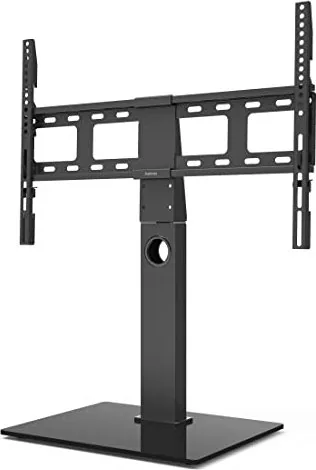
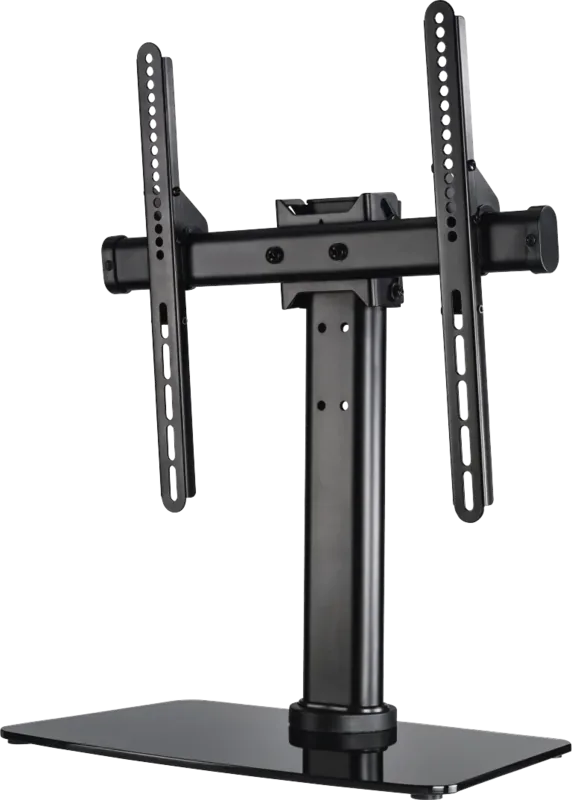
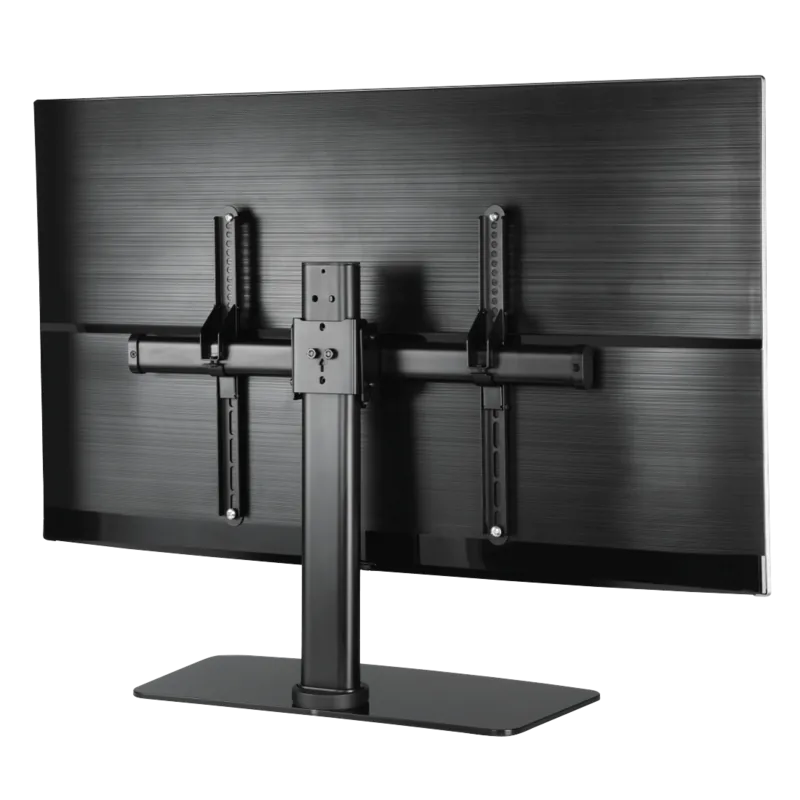
Zoekt u een betrouwbare manier om uw grote televisie te beveiligen? De Hama Fullmotion Zwart TV Onderstel Handleiding biedt een uitstekende oplossing voor moderne woonkamers. Dit product is specifiek ontworpen voor niet-commercieel privaat huishoudelijk gebruik. Het ondersteunt platte beeldschermen met een diagonaal tussen 81 en 165 centimeter. Of u nu een 32 of 65 inch scherm bezit, deze unit past op vele modellen. Het zorgt ervoor dat uw kijkervaring is afgestemd op uw comfort.
Belangrijke Technische Specificaties
De bevestigingskolom accepteert VESA patronen tot 600x400. U kunt zware apparaten plaatsen met een maximale belastingscapaciteit van 40 kg. De structuur maakt een rotatie tot 60 graden mogelijk voor optimale kijkhoeken. De basisplaat meet 42 bij 33 cm om een stabiele voetprint te garanderen. De hoogte in het midden van de plaat staat op 55,4 cm. Deze maten garanderen compatibiliteit met de meeste standaard televisiesets. Het werkt voor zowel platte als gebogen televisieachterkanten met behulp van spacers.
Essentiële Installatie-instructies
Goede opstelling is cruciaal voor langdurige veiligheid. U moet het statief monteren met de hulp van een tweede persoon. Probeer nooit alleen installatie te ondernemen vanwege het gewicht. Zorg dat geen elektrische kabels worden gekneld tijdens het proces. Controleer dat de beugel plat op de televisieachterzijde ligt. Gebruik meegeleverde spacers als de achterkant oneffen is. Ga stap-voor-stap door de geïllustreerde instructies. Veilig altijd het vergrendelingselement F2 om de beugel te vergrendelen.
Waarschuwing: Pas de beugel alleen aan met een tweede persoon aanwezig. Waarschuwing: Plaats geen lading zwaarder dan de gespecificeerde capaciteit.
Onderhoud en Levensduur
Regelmatige controles zijn vereist tenminste elk drie maanden. Verifieer dat het product voldoende veilig is. Als de rotatiefunctie stijf wordt, draai de moer aan het scharnier iets los. Reinig de unit met water of standaard huishoudelijke reinigingsmiddelen. Gebruik geen agressieve chemicaliën die de afwerking kunnen beschadigen. Controleer schroeven en zorg dat ze handaangedraaid zijn.
Belangrijke Garantie- en Veiligheidsopmerkingen
Wijzig het product niet op enige manier. Oneigenlijk gebruik vernietigt de garantie. Bewaar verpakkingsmateriaal uit bereik van kinderen. Zorg dat het oppervlak waterpas en antislip is. Controleer algemene bedrijfsveiligheid regelmatig. Indien schade optreedt, verwijder de aangebrachte last onmiddellijk. Verwijder verpakking volgens lokale voorschriften. De voetjes kunnen drukmarkeringen achterlaten afhankelijk van oppervlakstabiliteit. Als u het apparaat verkoopt, doorgeven instructies aan de nieuwe eigenaar.
Milieugebruik
Dit product is uitsluitend bestemd voor binnen gebruik. Stel het niet bloot aan buiten elementen. Het is ontworpen voor stabiele oppervlakken die het gewicht van het product en apparaat kunnen dragen. Zorg dat de last symmetrisch gebalanceerd is om omvallen te voorkomen. Controleer regelmatig dat het product en aangebrachte apparaat veilig gepositioneerd zijn.
Door deze richtlijnen van de Hama Fullmotion Zwart TV Onderstel Handleiding te volgen, verzekert u veiligheid en prestaties. Geniet van uw home cinema setup met gemoedsrust wetende dat uw apparatuur veilig is. Neem altijd de specifieke instructies voor uw regio ter hand. Dit zorgt voor naleving van lokale veiligheidsstandaarden. Hama GmbH accepteert geen aansprakelijkheid voor verkeerde installatie.
Zoek naar 67.732 Handleidingen online


Typ merk of model in